


A Story of Analogy: When a Magazine Becomes a Website
Imagine you’re at your local newsstand. You browse through the various magazine covers displayed in front of you. Each one catches your eye with a compelling title, striking images, and a few highlighted article excerpts. These elements are designed to give you a glimpse of the content and entice you to open the magazine.
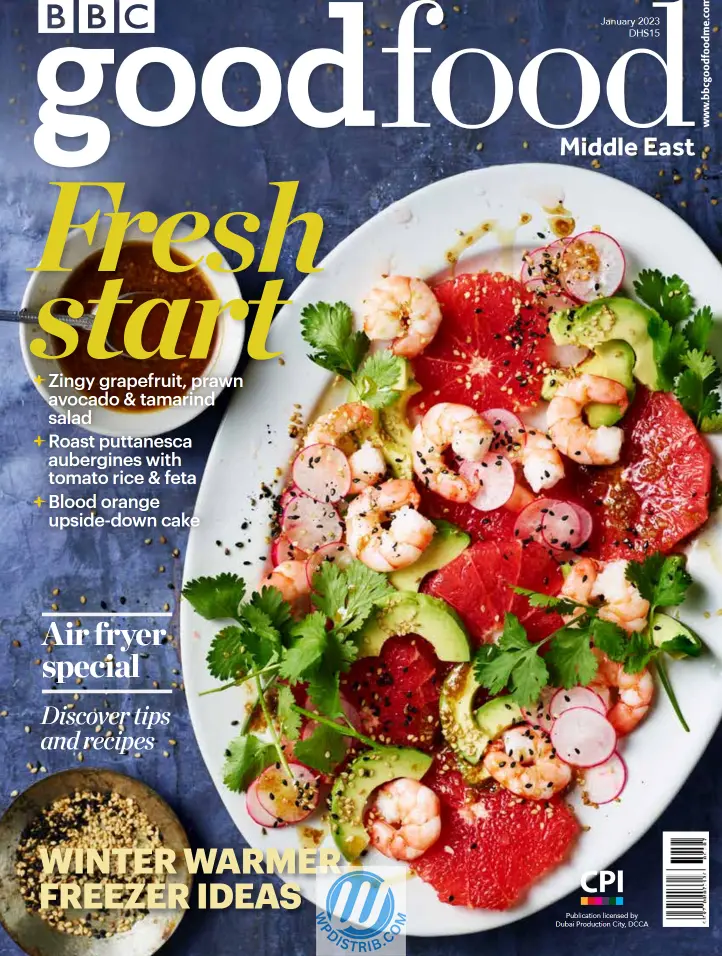
In WordPress, this magazine cover corresponds to the homepage of a website. It’s the first thing users see when they arrive. Just like a magazine cover, it highlights certain articles, displays a clear title, and may include engaging visual elements. At the top, there’s often a header with the site’s name and a navigation menu, just as a magazine prominently features its title on the printed cover. Dans WordPress, cette couverture de magazine correspond à la page d’accueil d’un site web.
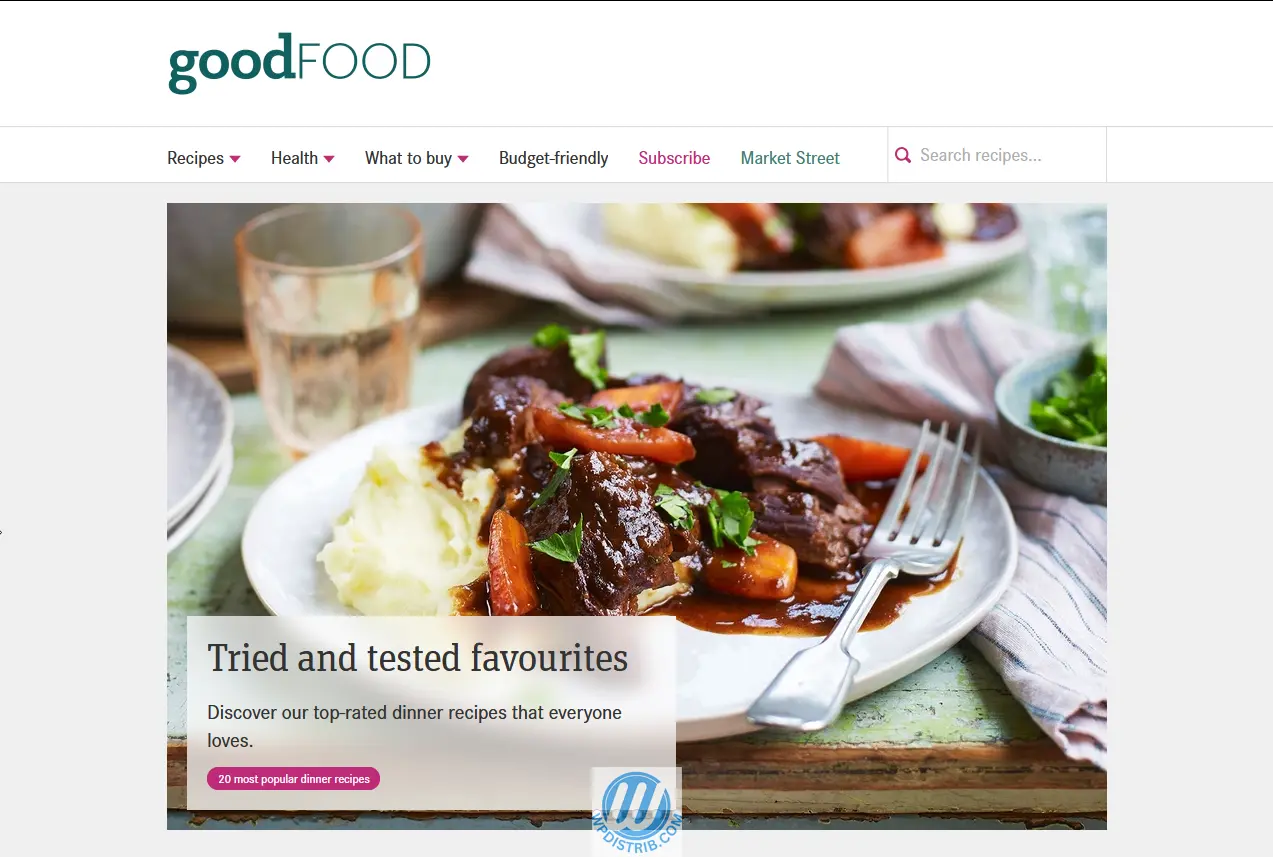
At the bottom of the cover—or sometimes on the side—a magazine provides additional information, such as the price, publication date, or legal notices.

On WordPress, this area corresponds to the footer, where you often find links to terms of use, privacy policies, contact details, or category links.
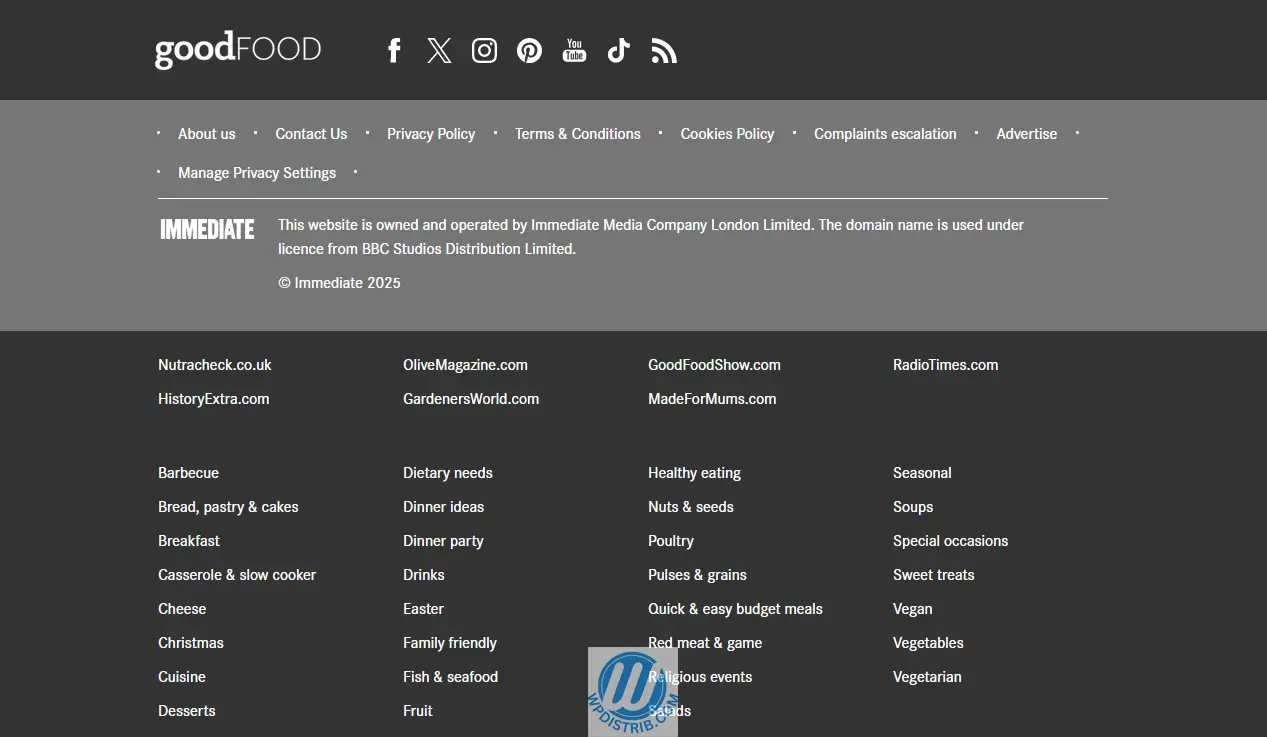
Moreover, at the newsstand, you compare magazine covers to choose the one that attracts you the most.
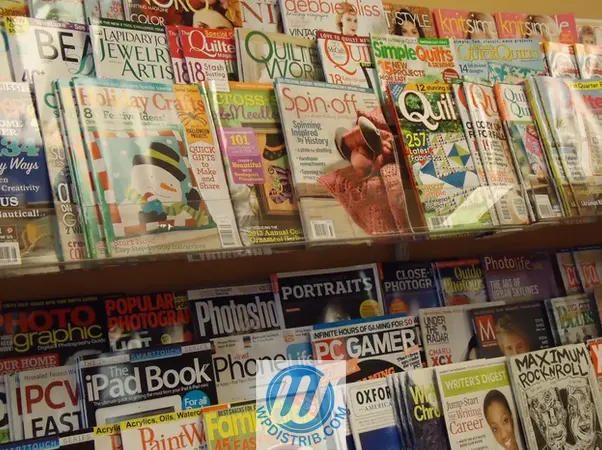
On the web, we often rely on search engines to find a site that matches our needs.
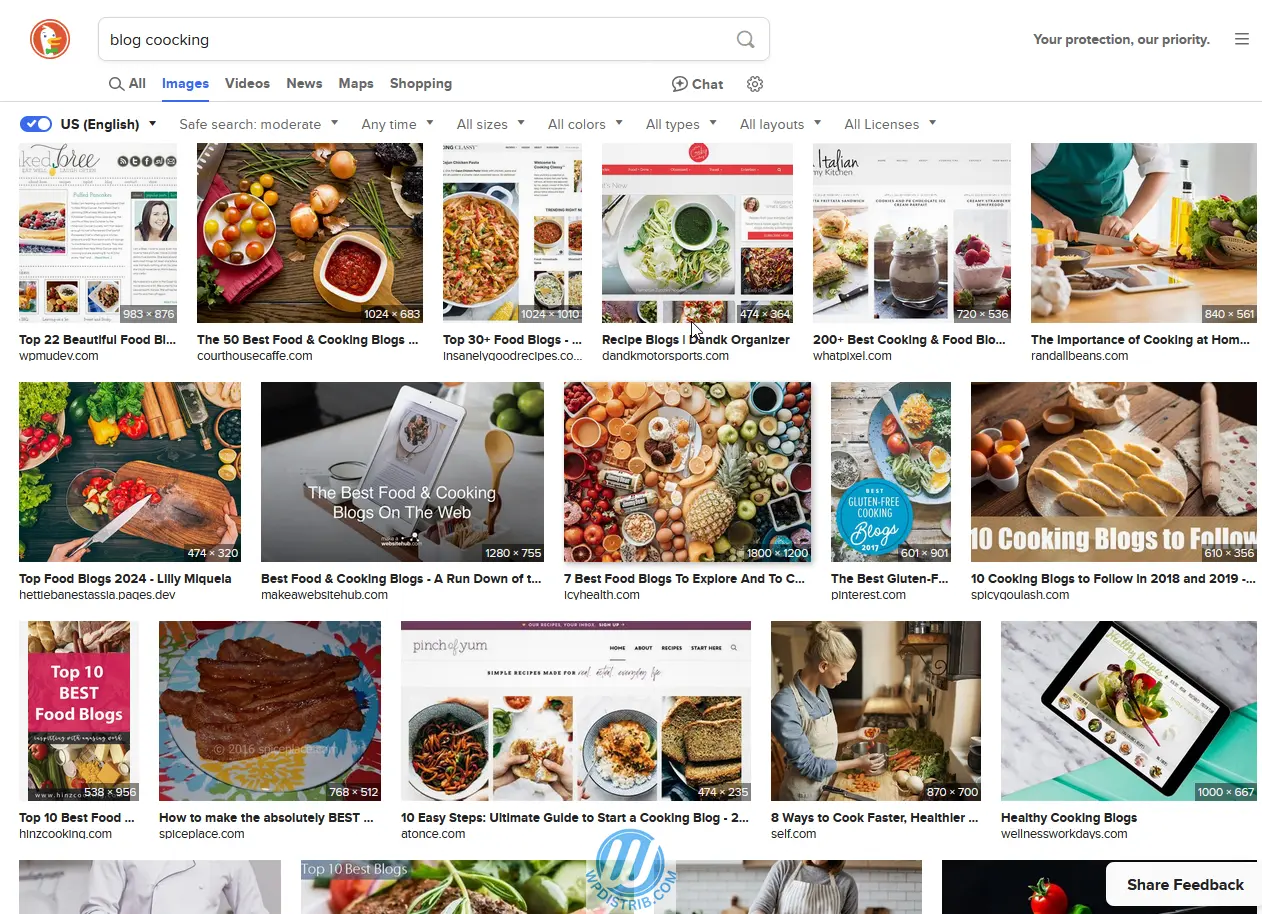
For example, if you’re looking for cooking recipes, you might come across magazines like Elle à Table (France), BBC Good Food (UK), or Bon Appétit (US).
Online, this role is taken by websites such as Marmiton (France), BBC Good Food (UK), or AllRecipes (US). Thanks to search engine optimization, these sites appear among the top results in a Google search.
1. Browsing a Magazine, Navigating a WordPress Site
Featured Articles on the Cover and Homepage
A magazine cover highlights key articles from the issue.
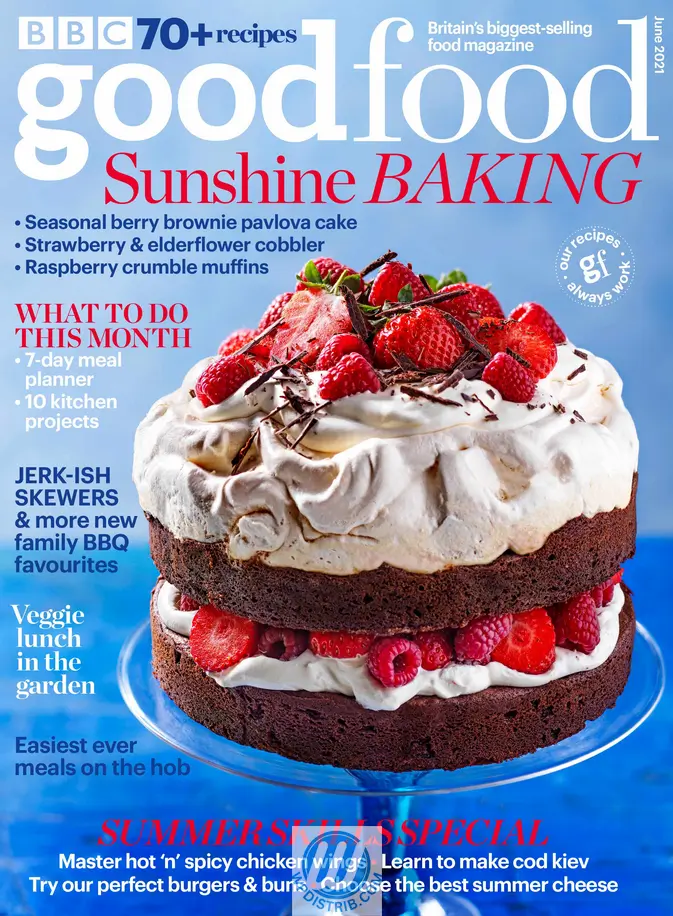
On WordPress, the homepage serves the same purpose by showcasing recent or popular articles.
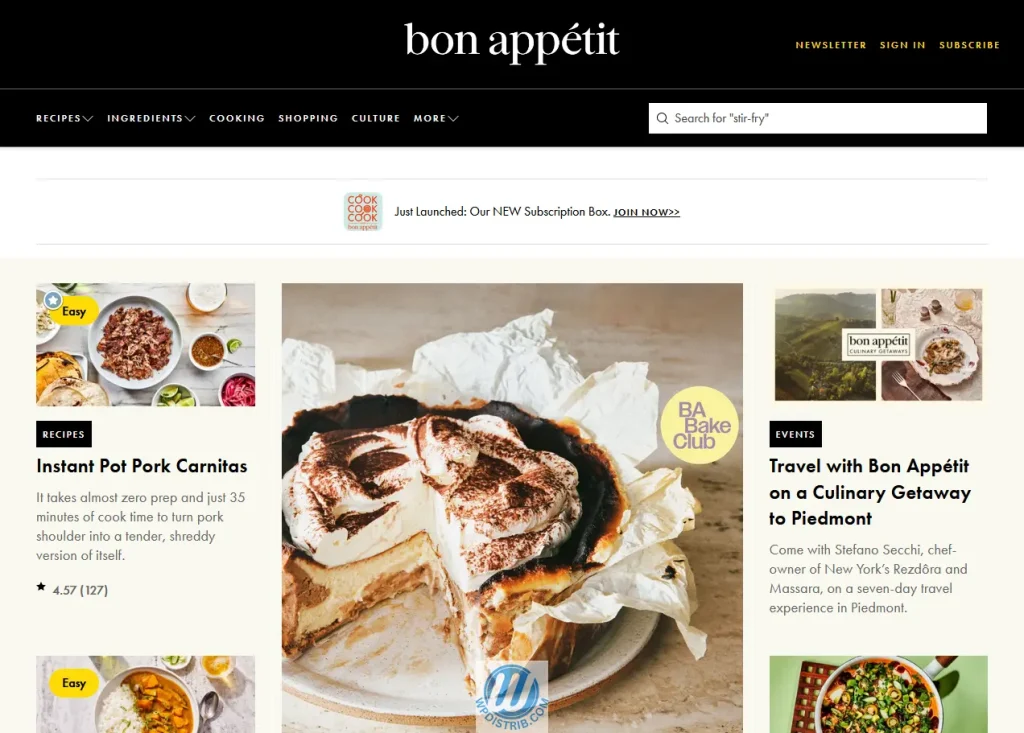
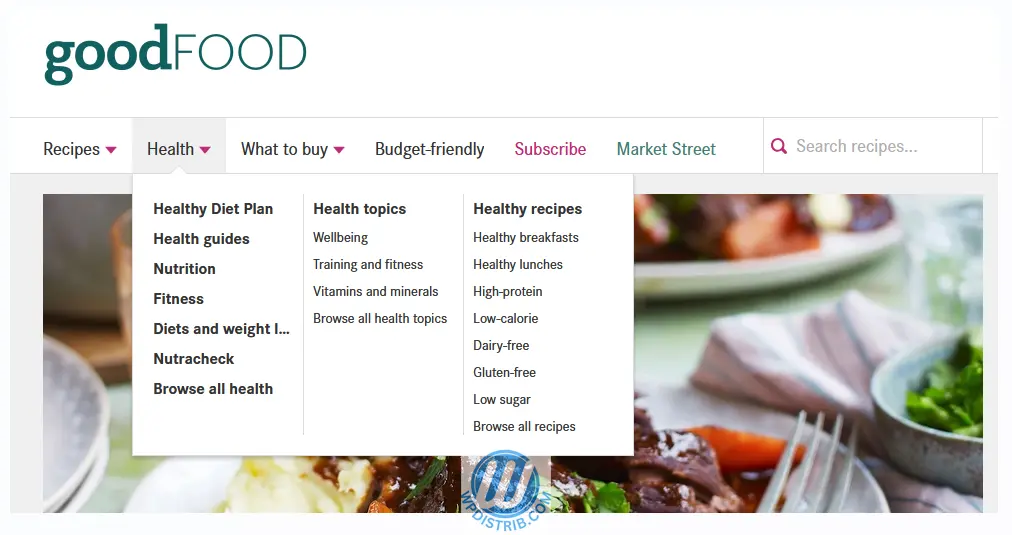
Table of Contents vs. WordPress Menu
Curious, you open the magazine. The first double-page spread usually features a table of contents, listing all sections and articles. A quick glance tells you where to go to read a particular piece.
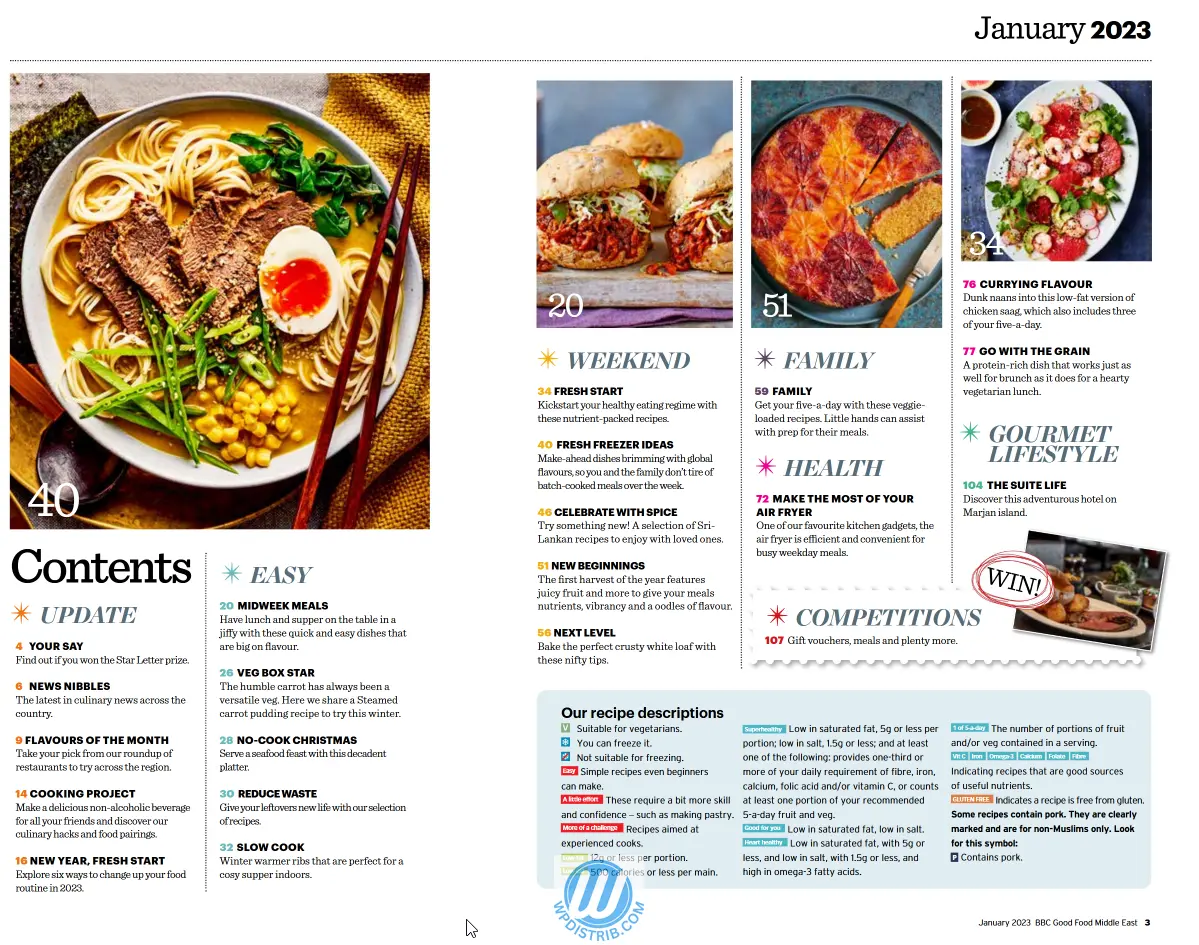
In WordPress, this function is handled by the navigation menu. A well-structured site offers a menu linking to main sections: article categories, static pages like “About” or “Contact,” and sometimes even an archive page.

Unlike a paper magazine, where you physically flip pages to find an article, in WordPress, you just click a link to access content instantly. This seamless navigation is a major advantage of the web over print.
Sections and Categories: Structuring Content
In a magazine, articles are organized into sections. Common ones include news, interviews, reports, and special features. Each article is carefully placed to help readers quickly find topics of interest.
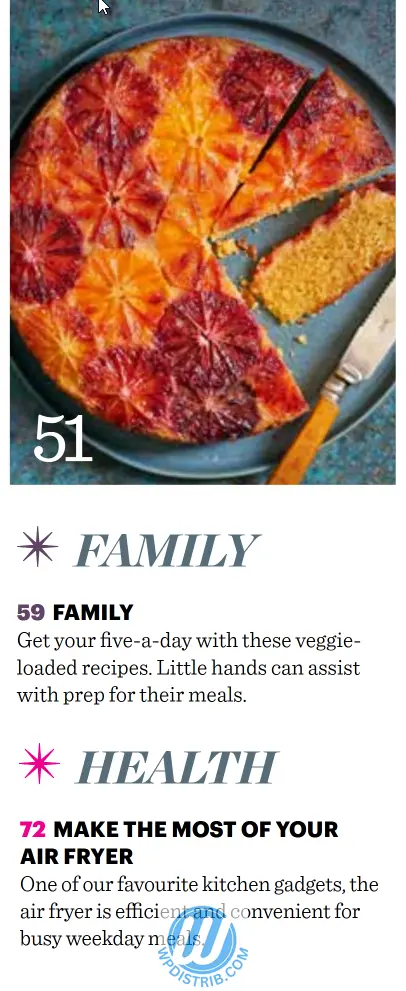
In WordPress, these sections correspond to categories. Articles are sorted into categories to create a logical structure. For example, a news site may have categories like “Politics,” “Economy,” “Culture,” or “Sports,” helping visitors easily find relevant articles.
Reading an Article and Discovering More
In a paper magazine, once you reach an article, you read it from start to finish. Some articles feature sidebars or references to related pieces, directing you to other pages.
On WordPress, this experience is enhanced with hyperlinks. At the end of an article, visitors may find a “Related Articles” section or internal links encouraging further reading on related topics. This makes navigation smoother and more engaging than in print.
Page Layout: Desktop Publishing vs. WordPress Page Builders
In print, layout is done using desktop publishing software like Adobe InDesign, which structures content into columns, adds images, and harmonizes text.

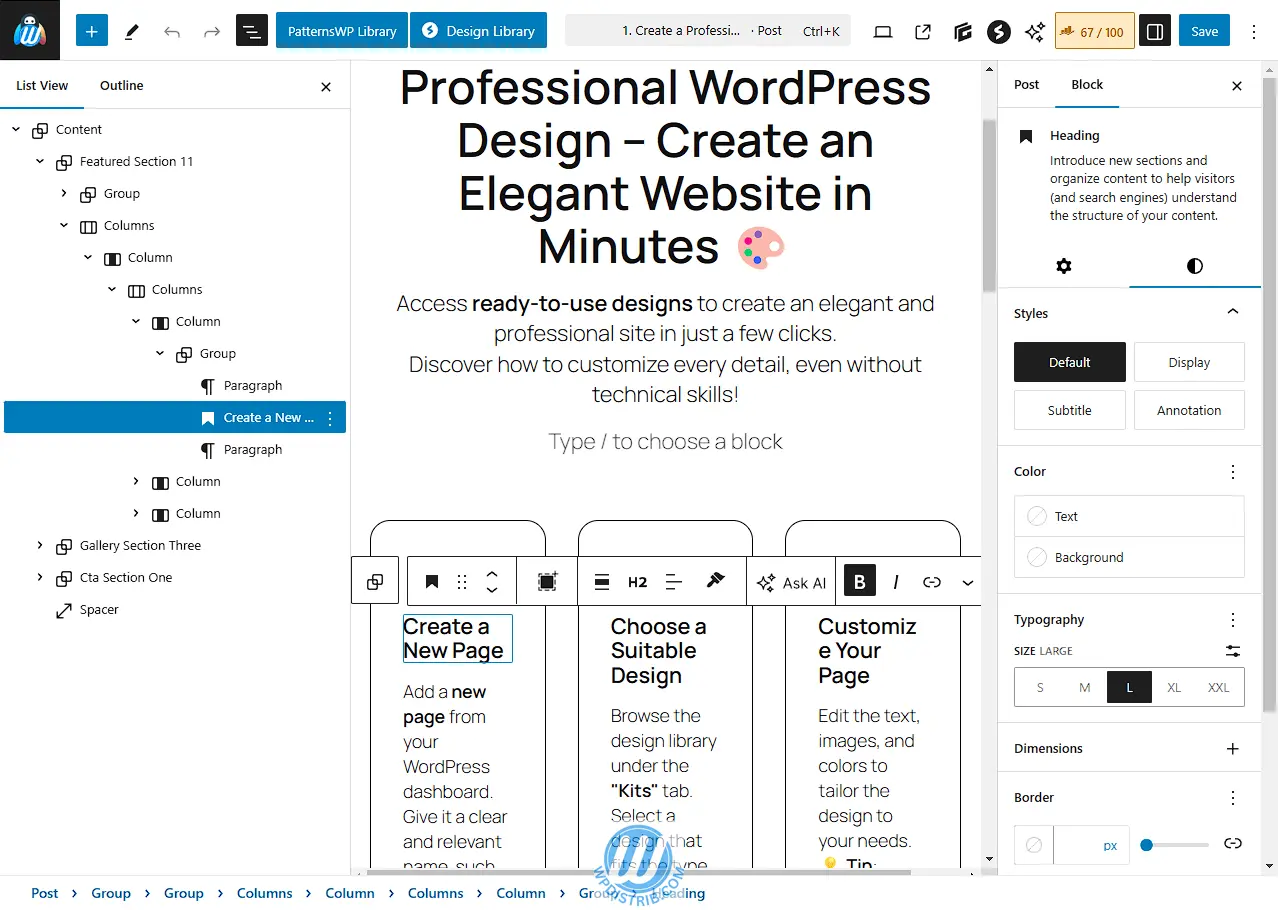
In WordPress, layout is managed by page builders like Gutenberg (the native editor) or others (Elementor, Divi, Beaver, etc.), allowing the creation of visually appealing and dynamic pages using content blocks.
Limited vs. Unlimited Content
A paper magazine has a fixed number of pages, dictated by format and printing costs. Once an issue is complete, no more articles can be added.
WordPress, however, has no limit on pages or articles. A site can continuously expand with new content that remains permanently accessible.
Finding Old Articles
In a paper magazine, retrieving an old article means flipping through past issues, which can be time-consuming.
In WordPress, search is made easier through multiple tools:
- An internal search engine helps find articles using keywords.
- Category pages group articles by topic.
- Archive pages allow browsing by publication date.

Updates and SEO
In print, once an article is published, it cannot be modified.
In WordPress, an article can be updated anytime to correct information or add relevant content.
Finally, a paper magazine is available at a newsstand or through subscriptions.
A WordPress site, however, must be optimized for search engines to be found by internet users.
2. What a Print Magazine Does, WordPress Does Too
In this section, we explore the similarities between a print magazine and a WordPress site. While one is a physical medium and the other is digital, their goals remain the same: capturing attention, organizing information, and providing an enjoyable reading experience.
An Eye-Catching Cover
When browsing a newsstand, it’s the cover that first grabs your attention. It’s designed to make you want to open the magazine. It features:
- A prominent title, defining the magazine’s identity.
- Striking images, often a strong photograph or visual.
- Key topics, presented as article headlines or engaging subtitles.
On a WordPress site, the homepage serves the same purpose. It’s the first thing visitors see when arriving. Just like a magazine cover, it highlights:
- The site’s name, clearly visible in the header.
- An eye-catching visual, often a banner or slider.
- Recent or important content, featured with excerpts and links.
The goal is the same: to captivate visitors in the first few seconds and encourage them to explore further.
A Table of Contents to Guide Readers
When opening a magazine, you typically find a table of contents. It’s logically structured and helps readers see all the content in the issue. Each section is listed with corresponding page numbers, making navigation easier.
On a WordPress site, this function is handled by the navigation menu and internal links. These include:
- A main menu, at the top of the site, grouping key sections (Home, Blog, Contact, About…).
- A secondary or sidebar menu, offering shortcuts to categories or important pages.
- Internal links, within articles, allowing smooth transitions between related topics.
Again, the goal is the same: helping users find the content they’re looking for quickly and easily.
Sections to Organize Information
A magazine is divided into sections: news, culture, interviews, special reports, etc. This structure organizes information and ensures smooth reading.
On WordPress, the equivalent is categories and tags:
- Categories function like magazine sections, grouping articles into broad themes.
- Tags are keywords that refine searches and link related content.
For example, a cooking site might have categories like “Sweet Recipes” and “Savory Recipes,” and tags like “Desserts,” “Vegetarian,” or “Gluten-Free” for more precise filtering.
Articles to Inform and Entertain
Each magazine issue contains a variety of articles written by journalists or experts, covering different topics. Some are short, while others are in-depth features.
On a WordPress site, blog posts serve the same purpose. They allow for regular content publication and organization within categories.
- A news site publishes updates, just like a newspaper.
- A travel blog shares experiences, guides, and tips.
- A business blog provides articles to inform customers about products and services.
The key difference? WordPress articles remain accessible indefinitely and can be updated anytime.
A Well-Designed Layout
A magazine’s layout is carefully designed. Editors use desktop publishing software (DTP) like Adobe InDesign or QuarkXPress to arrange content into columns, insert images, and ensure smooth readability.
On WordPress, layout is handled through:
- Gutenberg, WordPress’s native editor, structuring articles with text, images, videos, and more.
- Page builders like Gutenberg, Elementor, or Divi, which provide drag-and-drop functionality for visually appealing layouts.
- WordPress themes, which define the site’s overall look (like a ready-made magazine template).
Just as a magazine carefully designs its pages to attract and retain readers, a WordPress site allows for structured, attractive layouts.
A Business Model Based on Monetization
Print magazines generate revenue through:
- Newsstand sales or subscriptions.
- Advertising, with ads placed between articles.
- Sponsored content, where brands pay for product placements.
A WordPress site can be monetized in similar ways, but with more flexibility:
- Advertising: Networks like Google AdSense display ads on websites.
- Affiliate marketing: Sites recommend products and earn commissions on sales.
- Subscriptions: Some WordPress sites offer premium content for paying members.
- E-commerce: WordPress allows direct product or service sales via WooCommerce.
Again, WordPress replicates the traditional magazine business model while offering more options for scalability and automation.
Similarities Between Print Magazines and WordPress
Print magazines and WordPress sites share many common features. Both aim to inform, structure content, and provide a pleasant reading experience. The main difference is the format: print is fixed and limited, while the web is dynamic and ever-evolving.
In the next section, we’ll explore what WordPress can do that print cannot, focusing on the power of digital: instant search, real-time updates, interactivity, and SEO.
3. What WordPress Can Do That Print Magazines Cannot
While WordPress and print magazines share many similarities in content structuring and organization, WordPress offers far more advanced features suited to the digital era. Here’s what the digital format enables that print can never match.
Evolving Content That’s Always Accessible
Once a magazine is printed, its content becomes static. It’s impossible to go back and correct an error, add an update, or modify an element. If information becomes outdated, the magazine must wait for the next issue to provide corrections or clarifications.
On WordPress, articles and pages can be edited at any time. A published article can be updated with new information, refreshed images, or error corrections. This flexibility is a huge advantage, especially for news sites or niche blogs that need to keep their content current.
Additionally, all published content remains permanently accessible, unlike a magazine where older issues gradually become harder to find.
Seamless and Interactive Navigation
In a traditional magazine, navigation is linear: you flip through pages one by one. Some articles may reference others within the same issue, but finding related content remains manual and limited.
A WordPress site, however, offers dynamic and fluid navigation through several interactive features:
- Internal links: Articles can include links to other related content for deeper exploration.
- Suggested articles: At the end of an article, a section can recommend similar content to keep readers engaged.
- Interactive menus: Allow users to jump directly to specific sections instead of “flipping” through the entire site.
- Filters and categories: Let users display only articles relevant to a specific topic.
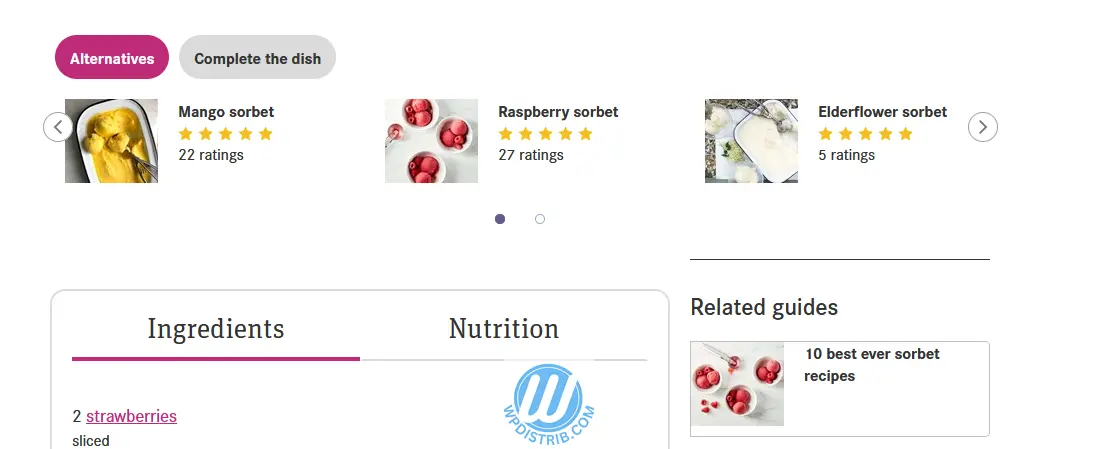
The user experience is therefore much more intuitive and faster than with a print magazine.
Articles vs. Pages: A Key Distinction
All magazine content is published as articles, organized into sections, but each article has a temporary existence—it disappears with the next issue.
WordPress differentiates between two types of content:
- Articles: Published with a date and categorized into topics, they form the evolving content of a site (news, blog posts, regular updates).
- Pages: Timeless and undated, they structure permanent information like “Home,” “About,” “Contact,” or “Services.”
This distinction helps organize a website effectively, ensuring that essential information remains available regardless of new updates.
A Modular Structure (Header, Body, Footer)
A magazine follows a static layout, predefined by its template:
- A header containing the magazine’s title and sometimes a tagline.
- A central body where articles and images are placed.
- A footer, often used for credits, pagination, and legal mentions.
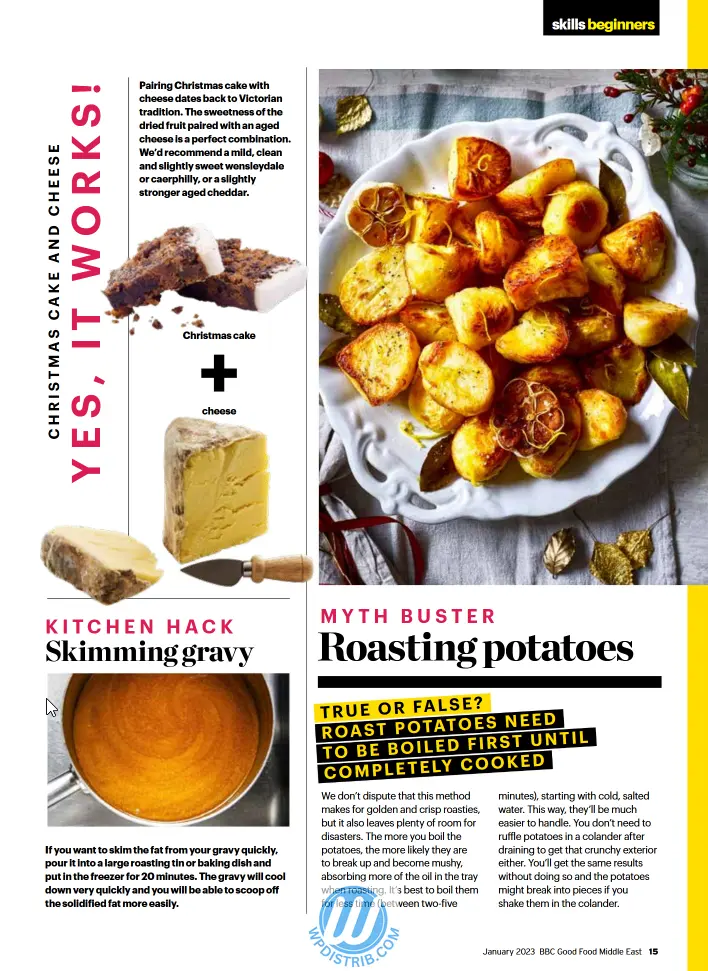
A WordPress site follows this architecture but with much greater flexibility:
- The Header: Can include a logo, a navigation menu, a search bar, or even an eye-catching image or animated banner.

- The Body: Displays articles, pages, or multimedia elements. It can be fully customized with different layouts depending on the section of the site.
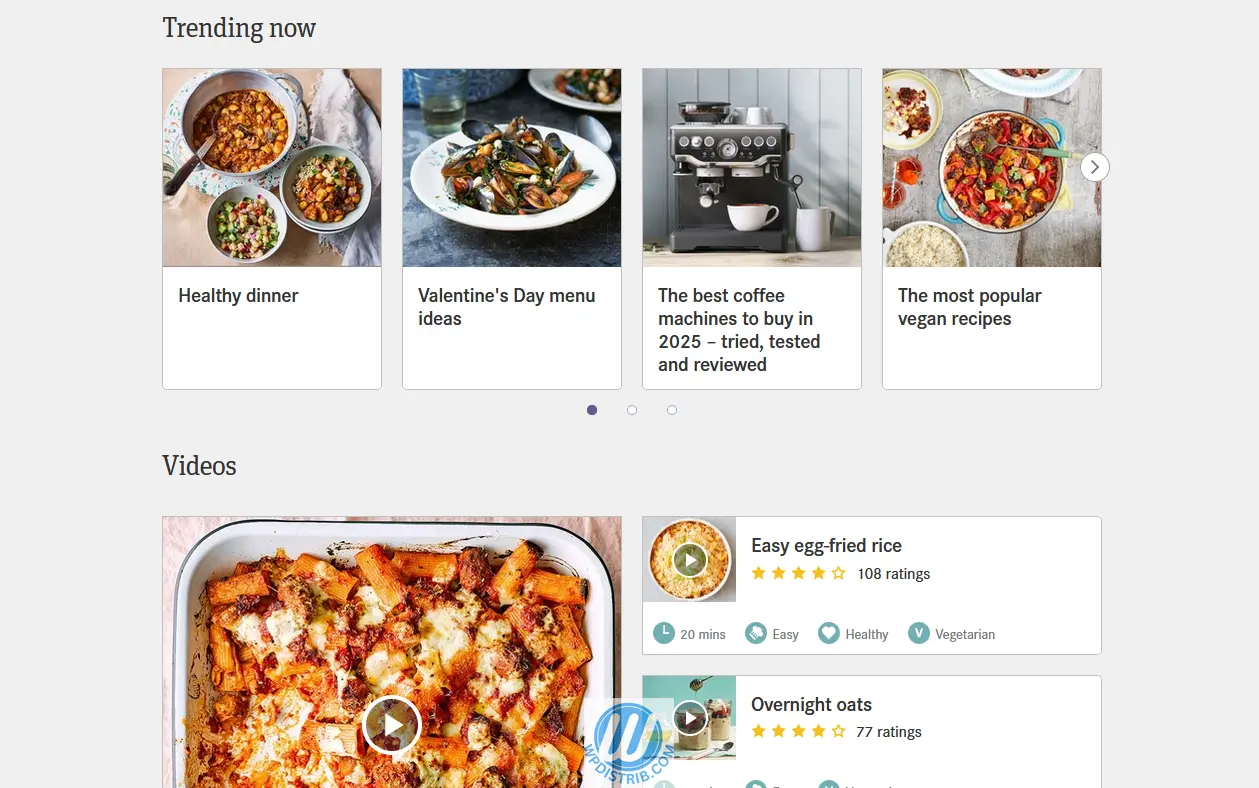
- The Footer: Can be enriched with additional information such as links to social media, contact forms, or useful site links.
This modularity allows for tailored displays to meet different needs, enhancing the user experience.
Search and Global Accessibility
Finding a specific article in an old magazine issue can be tedious. You need to own the correct edition and manually locate the page. Moreover, access is limited to those who physically have a copy.
WordPress provides powerful tools for instant information retrieval:
- An internal search engine: Users can type in keywords and instantly find relevant articles.
- Archive pages: Allow articles to be sorted by date, topic, or popularity.
- Categories and tags: Enable easy navigation between related articles with a single click.
- Search Engine Optimization (SEO): A well-optimized article can appear in Google searches, providing far greater visibility than a print magazine.
Reader Interaction
Interaction with print magazine readers is very limited. Some magazines feature a “Letters to the Editor” section where a few comments are published in the next issue, but exchanges are delayed and minimal.
A WordPress site enables real-time interaction between authors and readers:
- Comments on each article allow visitors to react, ask questions, or share opinions.
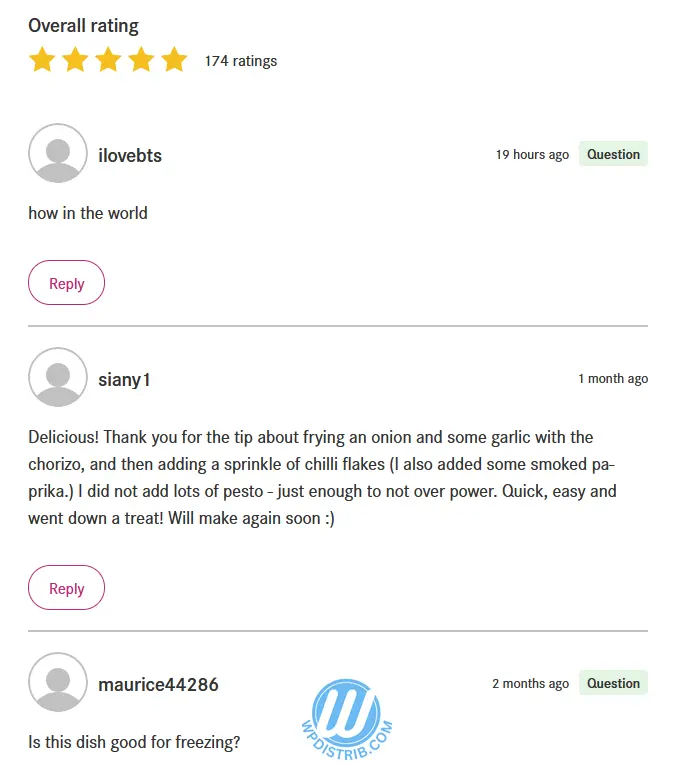
- Social media integration facilitates article sharing and community discussions.
- Contact forms enable direct communication with the site administrator.
- Forums and community spaces encourage users to interact and extend discussions.
This interactivity boosts audience engagement and fosters a community around the content.
Key Differences Between Print Magazines and WordPress
WordPress far surpasses the capabilities of print magazines by offering evolving, interactive, and globally accessible content. It not only allows content publication and organization like a magazine but also adds a dynamic dimension through fluid navigation, instant search, and direct audience interaction.
While print magazines remain valuable in certain contexts, it’s clear that WordPress provides unmatched reach and flexibility, making it an essential tool for any content creator looking to publish and distribute information effectively.
4. Comparison: Print Magazine vs. WordPress – Pros & Cons
After exploring the similarities and differences between WordPress and a print magazine, this section presents a comparison table and an analysis of the advantages and disadvantages of each medium.
Comparison Table: WordPress vs. Print Magazine
| Criteria | Print Magazine | WordPress |
|---|---|---|
| Accessibility | Available only in physical format, limited to a restricted audience. | Available worldwide, accessible on all screens. |
| Scalability | Content is fixed once printed. | Content can be updated at any time. |
| Navigation | Linear reading, table of contents for orientation. | Dynamic navigation with menus, internal links, and search engines. |
| Content Organization | Fixed and limited sections. | Categories, tags, pages, and archives to structure information. |
| Interactivity | No direct interaction with readers. | Comments, social sharing, real-time interactions. |
| Visibility | Available in kiosks or by subscription. | SEO optimization to appear on Google and reach a broad audience. |
| Page Layout | Fixed design, created by professionals using DTP tools. | Adaptable layout with Gutenberg, Elementor, and customizable themes. |
| Monetization | Sales in kiosks, subscriptions, advertising. | Ads, affiliate marketing, premium subscriptions, e-commerce. |
| Production Costs | High (printing, distribution, professional writing). | Variable costs depending on hosting and tools used, accessible even on a small budget. |
| Competition | Limited number of magazines on the same topic. | Very high number of websites on each subject, increasing competition. |
| Content Quality | Written and validated by professionals, ensuring high standards. | Variable quality, as content is often produced by small teams or amateurs. |
Pros & Cons of Each Solution
Advantages of Print Magazines
✅ High Editorial Quality – Articles are written, reviewed, and professionally designed.
✅ Less Competition – Fewer magazines available on the same topic, leading to greater visibility for each title.
✅ Tactile Experience – The pleasure of flipping through a magazine, feeling the paper, and collecting editions.
✅ Credibility & Prestige – A printed magazine conveys seriousness and authority on its subject.
Disadvantages of Print Magazines
❌ Limited Distribution – Must be purchased in kiosks or by subscription.
❌ Lack of Flexibility – Once printed, content cannot be modified or corrected.
❌ High Costs – Production, printing, and distribution require significant investment.
❌ No Interactivity – No possibility for comments or direct exchanges with readers.
Advantages of WordPress
✅ Global Accessibility – Available anytime, anywhere, on all devices.
✅ Easy Updates – Articles can be edited, corrected, and enriched at any time.
✅ Smooth Navigation – Internal links, search engines, filters, and categories make exploring content easy.
✅ Reader Interaction – Comments, social media sharing, and direct audience engagement.
✅ Low Cost & Flexibility – A site can be created and maintained at a lower cost compared to a print magazine.
✅ Diverse Monetization Options – Generate revenue through ads, affiliate marketing, subscriptions, or product sales.
Disadvantages of WordPress
❌ High Competition – Thousands of websites exist on every topic, making visibility a challenge.
❌ Variable Quality – Many sites are run by small teams or amateurs, impacting reliability and content rigor.
❌ SEO Dependence – A website must be well-optimized to appear on Google, requiring ongoing SEO work.
❌ Technical Maintenance – Regular updates, performance management, and security upkeep are necessary.
Which Solution to Choose?
- For a local audience and exclusive content, a print magazine remains a strong choice. It offers superior editorial quality and increased credibility.
- For mass distribution, scalability, and reader interaction, WordPress is the ideal tool. It enables continuous content publishing and global reach at a lower cost.
- A hybrid approach is possible – Many print magazines now have digital versions to benefit from both formats.
Conclusion: WordPress vs. Print Magazine – A Clear Analogy for Better Understanding
The analogy between WordPress and a print magazine makes it easier to grasp how a website functions and how its content is managed. While both mediums share many similarities in terms of information organization and structure, WordPress goes far beyond by offering greater flexibility, scalability, and interactivity.
Summary for Beginners
A WordPress site is like a digital magazine:
- It organizes structured content into categories and articles.It can evolve and grow over time, unlike a print magazine, which is static once printed.
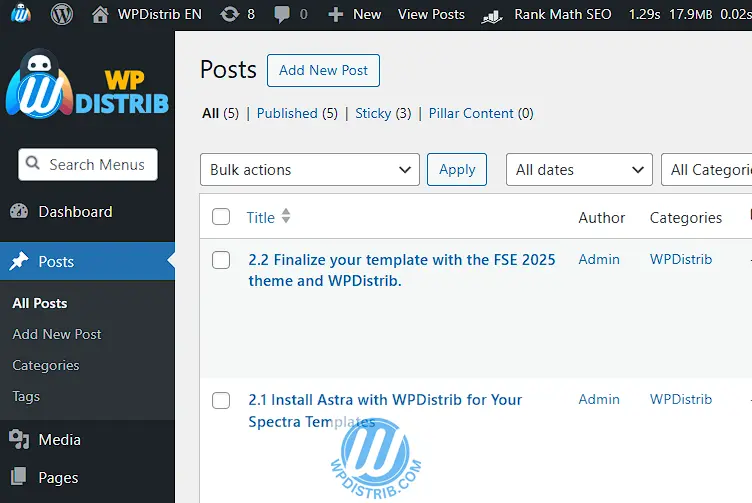

- It offers dynamic and interactive features: instant search, internal links, article recommendations, and reader engagement.
Key Differences
- WordPress is scalable, allowing for real-time content updates and modifications.
- Global accessibility means a WordPress site can reach audiences worldwide, unlike a magazine limited to physical distribution.
- Navigation is smoother and more intuitive, with clickable links and an internal search engine.
- Reader interaction is enhanced through comments and social media sharing.
WordPress’ Weaknesses Compared to Print Magazines
- Massive competition, making visibility a challenge.
- Variable editorial quality, as print magazines typically have larger budgets and professional journalists.
- The need for SEO optimization to ensure visibility on Google.
Applying the Analogy
- Visualizing a website as a magazine: Beginners can take inspiration from familiar magazines to structure their website.
- Adapting presentation and content: Understanding that the homepage is like the cover, the menu is the table of contents, categories are sections, and articles form the site’s content.
- Leveraging digital strengths: A WordPress site is much more than just a magazine—it’s a living media platform, capable of adapting to trends, responding to audience needs, and growing continuously.
In conclusion, WordPress is a modern and dynamic extension of the print magazine, incorporating all its strengths while adding a new digital dimension that is more interactive and ever-evolving.