

?

Bienvenue sur une fiche “article documentaire”
Cette page présente un contenu structuré, pensé pour t’apporter une vraie plus-value à la lecture.
Faisons le tour ensemble !

Ici s’affiche le sujet traité dans l’article.
Il joue le rôle de titre principal, clair, orienté “bénéfice utilisateur”.
➜ L’objectif est que tu saches immédiatement si cet article répond à ton besoin.

Cette zone indique qui est à l’origine de l’article.
Cela permet de contextualiser le contenu : qui parle, d’où, avec quelle expérience ?

Ici sont listées les catégories documentaires associées à l’article.
➜ Elles t’aident à comprendre dans quel contexte s’inscrit le contenu, et à retrouver d’autres ressources liées.

Ce badge indique le niveau de maturité de l’article.
➜ C’est une information précieuse pour juger de la maturité du contenu.

Cette illustration visuelle accompagne l’article.
➜ Elle est utilisée pour donner un repère rapide au lecteur, ou illustrer une tendance, une dynamique, un sujet.

Ce texte présente la plus-value de la lecture :
➜ Pourquoi cet article vaut la peine d’être lu ?
➜ Qu’est-ce que tu vas en retirer ?
C’est techniquement “l’extrait” de l’article.

Ce bouton te permet de commencer la lecture de l’article complet.
Tu as vu le contexte, les bénéfices, les thématiques…
➜ Il est temps de plonger dans le contenu

Tu connais maintenant la structure d’une fiche article documentaire sur WPDistrib !
Bonne lecture!
Tu peux relancer ce tutoriel à tout moment via le bouton “?” en bas à droite.

❓Topic covered in this documentation article:

Master WordPress Distribution Setup: 5 Steps to Install WPDistrib

📚 Related topics in the documentation base:

🟡 Iteration 2 —
Tagged version

🏷 This article has been tagged: it now has all the basic technical elements to be properly interpreted by search engines.

This includes SEO metadata (title, description, excerpt), a featured image, and a consistent internal linking structure.

📌 This step is not yet a complete SEO optimization, but it allows the article to be shared properly on social media.
Thanks to its image, title, and excerpt, it’s ready to circulate in a content distribution logic.

Informative graphic for WordPress Distribution Setup with WP logo, YouTube icon, and WPDiSTRIB text.

Master WordPress setup in 5 easy steps with WPDistrib! Streamline your site with 25 essential plugins, full hosting control, and optimized performance. Get started with our free, open-source distribution today. Watch our tutorial and follow along for a seamless installation! Unlock your site’s potential now!

🛠️ Master WordPress Distribution Setup: 5 Steps to Install WPDistrib
Informative graphic for WordPress Distribution Setup with WP logo, YouTube icon, and WPDiSTRIB text.

🧩WordPress + 25 essential plugins

Comprehensive WordPress Solution

WPDistrib enhances the core functionality of WordPress by including a robust foundation of essential plugins right out of the box.

This pre-configured setup saves you time and effort, ensuring that you start with a powerful, feature-rich platform.

📦 Starter Pack

🟰

Guided Installation with WPdistrib Starter Pack

Each download of WPDistrib comes with an exclusive “WPDistrib Starter Pack“.

This comprehensive guide walks you through the nuances of your website setup, offering tailored advice to maximize the performance and security of your WordPress site.

Free and Open Source

Embracing the spirit of WordPress and its vast ecosystem, WPDistrib is completely free and open source. This ensures that you have access to a transparent, customizable platform that grows with the community’s input and innovation.


Selecting the right WordPress distribution setup is vital for ensuring optimal control, functionality, and scalability of your website.

WPDistrib stands out by offering unique advantages that enhance your site management and performance:

🌐 Total Control Over Hosting

With WPDistrib, you maintain complete control over your website’s hosting environment. Unlike other platforms that may require specific hosting arrangements, WPDistrib allows you to host your site wherever you choose, ensuring you never have to rely on third parties to manage your data.

📦 Pre-Installed Essential Plugins

WPDistrib eliminates the guesswork in plugin selection by including a curated list of essential plugins that are perfect for any web project.

This balanced setup means you have just enough functionality without the bloat, ensuring a streamlined experience.

Discover the full list in our Notion tool: “WordPress Plugin Stack.”

The WPDistrib WordPress plugin stack isn’t just a random assortment of tools; it’s a thoughtfully assembled collection designed to enhance every aspect of your WordPress site.

From speeding up your website with advanced caching techniques to bolstering security with top-tier protective measures, this plugin stack covers all bases.
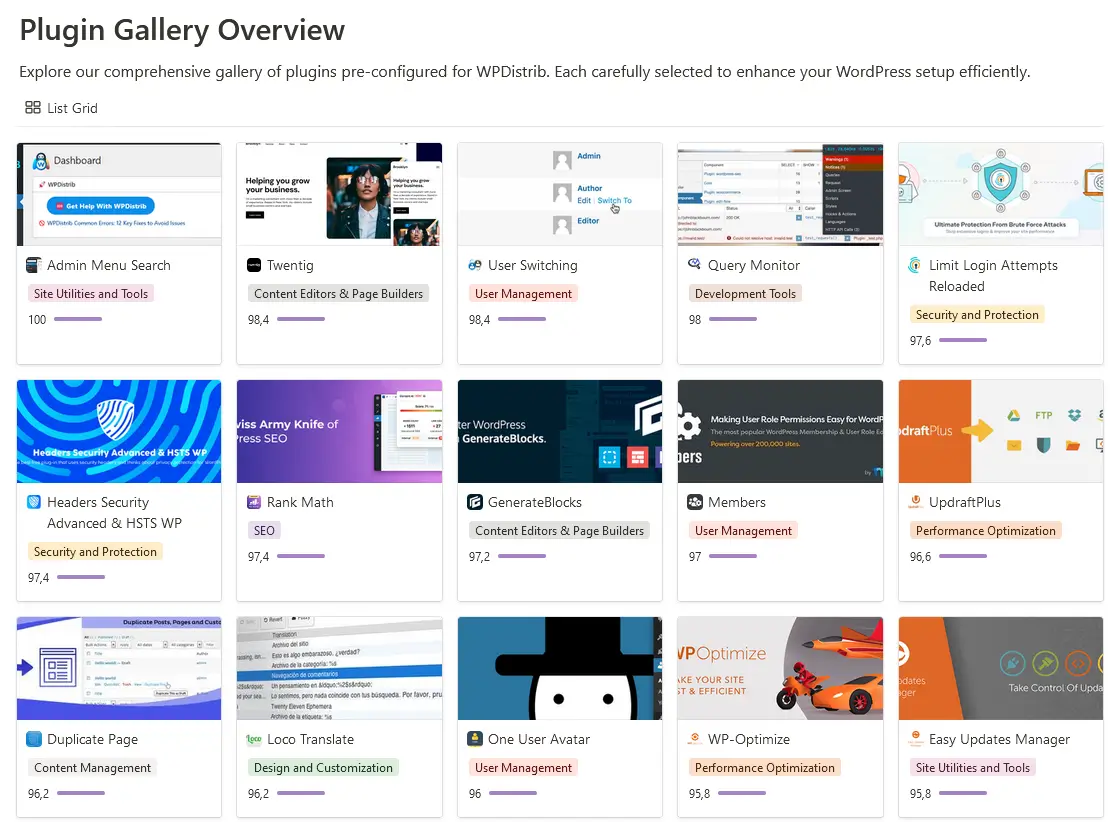
Assorted WordPress plugin stack displayed for enhanced site functionality on WPDistrib
📈 Optimized for Performance

Starting with WPDistrib means setting your site on the path to exceptional performance.

This solid foundation is not only crucial for user experience but also enhances your site’s potential to rank well on Google SERPs.

1. Access WPDistrib Homepage

Visit the WPDistrib website and navigate to the ‘Download‘ section to start the process.

2. Download and Prepare Installation Files

After downloading, unzip the files and prepare them for installation.

Don’t forget to review the ‘Sale Terms & Conditions‘ carefully during this process.

3. Set Up WordPress on Tastewp.com

Use Tastewp.com to quickly set up a temporary WordPress site.
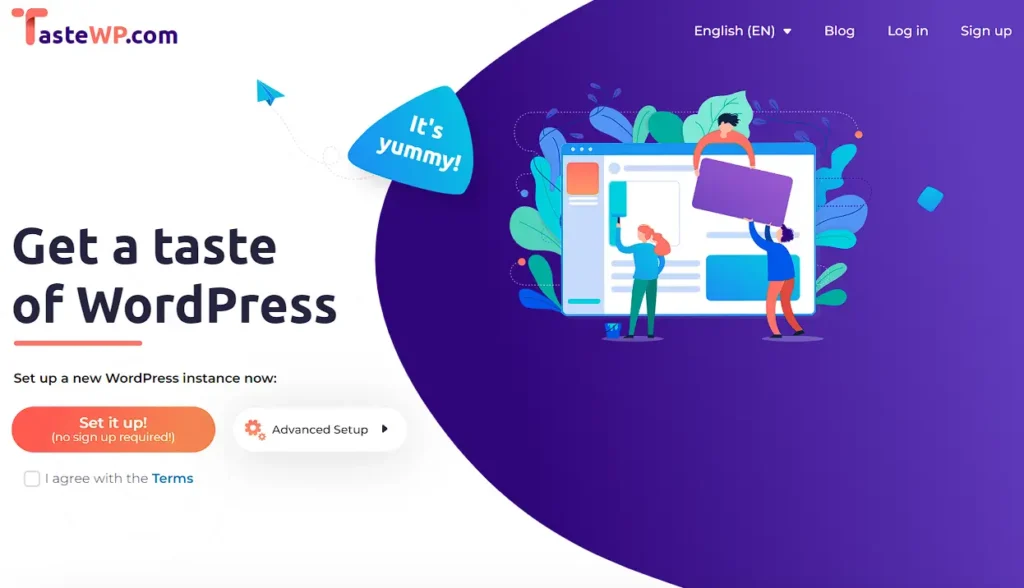
tastewp

This platform is ideal for testing and ensures that you can experiment without long-term commitments.

4. Install and Activate Updraf Plus plugin

Specifically, install the UpdraftPlus plugin to handle backups and restore the files you’ve prepared.

Upload your WPDistrib backup via UpdraftPlus and perform the necessary replacements in your WordPress database.

5. Finalize Setup and Configuration

This critical step will fully integrate all the unique features and settings of WPDistrib into your WordPress site.

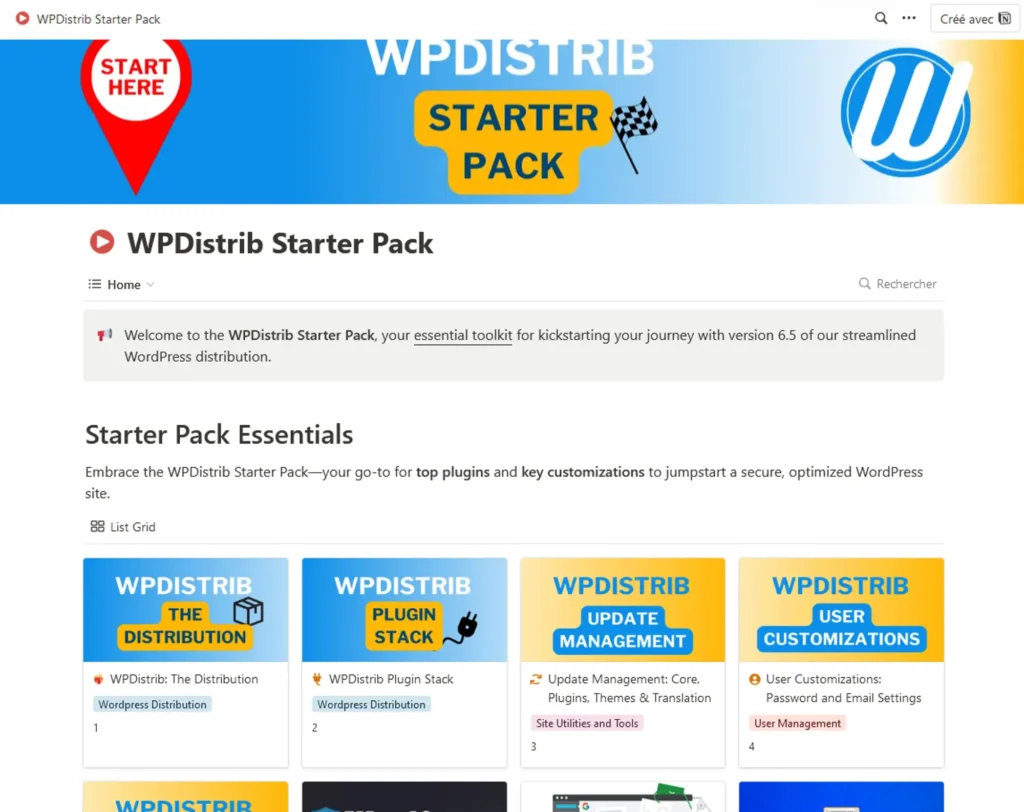
Everything you need to complete this process is thoroughly documented in our Notion tool, “Starter Pack” .
wpdistrib starter pack

This comprehensive guide includes 10 detailed steps to ensure a perfect installation of WPDistrib, tailored with your confidential data such as emails, passwords, and third-party accounts, ensuring a seamless and secure setup tailored specifically to your needs.

To access your new site, use the following URLs:

Username: admin
Password: admin

Make sure to replace the default username and password with your secure credentials after logging in to protect your site from unauthorized access.

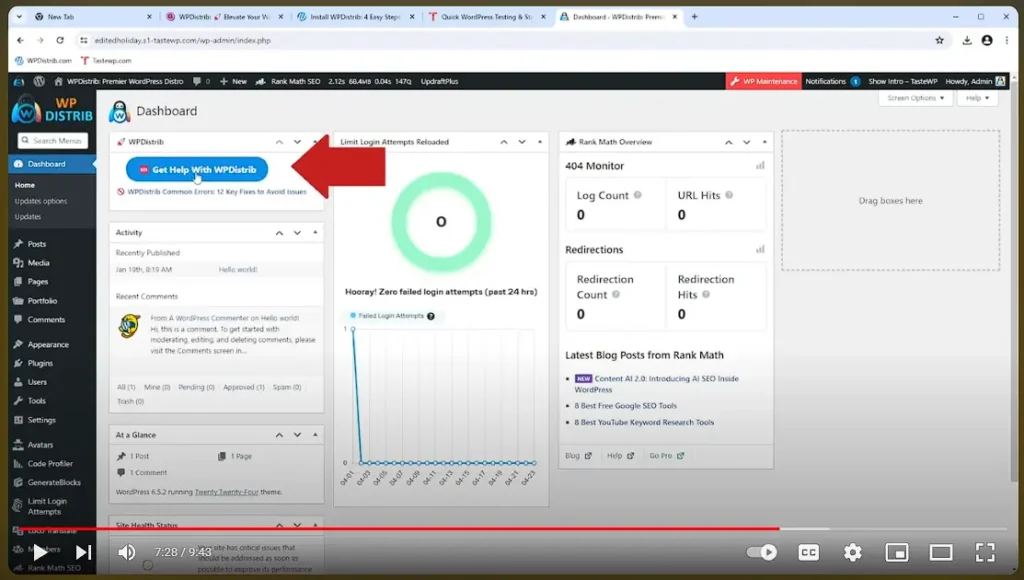
Now that you understand the ease of setting up WPDistrib, why not see it in action?

We’ve prepared a detailed video tutorial that not only complements this guide but also provides visual insights and additional tips to enhance your setup process.
Capture decran 2024 05 01 154007

💡 Did this article speak to you, make you think, or make you want to go further?

You might be wondering:

  • Can I create a website that reflects who I am, without relying on a closed tool?
  • Can I learn to publish, structure, and organize my content myself?
  • Am I ready to dedicate time to it?

If the answer is yes, then you’re in the right place.

Creating a useful and sustainable website does take some time — but it’s time well invested, to learn how to do things with clarity and method.

That’s exactly the goal of WPDistrib:

save time right from the start,
→ with an already optimized WordPress,
→ and free resources to learn how to use it well.


  • 👉 Want to start with an enhanced, lightweight, already optimized WordPress? I download WPDistrib
  • Prefer to learn and understand before you dive in?👉 I explore the documentation base
  • 👉 Want to go further and structure a site around a profession or a passion? I discover the method
Informative graphic for WordPress Distribution Setup with WP logo, YouTube icon, and WPDiSTRIB text.
🟡 Iteration 2 —
Tagged version

🏷 This article has been tagged: it now has all the basic technical elements to be properly interpreted by search engines.

This includes SEO metadata (title, description, excerpt), a featured image, and a consistent internal linking structure.

📌 This step is not yet a complete SEO optimization, but it allows the article to be shared properly on social media.
Thanks to its image, title, and excerpt, it’s ready to circulate in a content distribution logic.

Master WordPress setup in 5 easy steps with WPDistrib! Streamline your site with 25 essential plugins, full hosting control, and optimized performance. Get started with our free, open-source distribution today. Watch our tutorial and follow along for a seamless installation! Unlock your site’s potential now!

Beginning of the article

🛠️ Master WordPress Distribution Setup: 5 Steps to Install WPDistrib

Informative graphic for WordPress Distribution Setup with WP logo, YouTube icon, and WPDiSTRIB text.

🧩WordPress + 25 essential plugins

Comprehensive WordPress Solution

WPDistrib enhances the core functionality of WordPress by including a robust foundation of essential plugins right out of the box.

This pre-configured setup saves you time and effort, ensuring that you start with a powerful, feature-rich platform.

📦 Starter Pack

🟰

Guided Installation with WPdistrib Starter Pack

Each download of WPDistrib comes with an exclusive “WPDistrib Starter Pack“.

This comprehensive guide walks you through the nuances of your website setup, offering tailored advice to maximize the performance and security of your WordPress site.

Free and Open Source

Embracing the spirit of WordPress and its vast ecosystem, WPDistrib is completely free and open source. This ensures that you have access to a transparent, customizable platform that grows with the community’s input and innovation.


Selecting the right WordPress distribution setup is vital for ensuring optimal control, functionality, and scalability of your website.

WPDistrib stands out by offering unique advantages that enhance your site management and performance:

🌐 Total Control Over Hosting

With WPDistrib, you maintain complete control over your website’s hosting environment. Unlike other platforms that may require specific hosting arrangements, WPDistrib allows you to host your site wherever you choose, ensuring you never have to rely on third parties to manage your data.

📦 Pre-Installed Essential Plugins

WPDistrib eliminates the guesswork in plugin selection by including a curated list of essential plugins that are perfect for any web project.

This balanced setup means you have just enough functionality without the bloat, ensuring a streamlined experience.

Discover the full list in our Notion tool: “WordPress Plugin Stack.”

The WPDistrib WordPress plugin stack isn’t just a random assortment of tools; it’s a thoughtfully assembled collection designed to enhance every aspect of your WordPress site.

From speeding up your website with advanced caching techniques to bolstering security with top-tier protective measures, this plugin stack covers all bases.

Assorted WordPress plugin stack displayed for enhanced site functionality on WPDistrib
📈 Optimized for Performance

Starting with WPDistrib means setting your site on the path to exceptional performance.

This solid foundation is not only crucial for user experience but also enhances your site’s potential to rank well on Google SERPs.

1. Access WPDistrib Homepage

Visit the WPDistrib website and navigate to the ‘Download‘ section to start the process.

2. Download and Prepare Installation Files

After downloading, unzip the files and prepare them for installation.

Don’t forget to review the ‘Sale Terms & Conditions‘ carefully during this process.

3. Set Up WordPress on Tastewp.com

Use Tastewp.com to quickly set up a temporary WordPress site.

tastewp

This platform is ideal for testing and ensures that you can experiment without long-term commitments.

4. Install and Activate Updraf Plus plugin

Specifically, install the UpdraftPlus plugin to handle backups and restore the files you’ve prepared.

Upload your WPDistrib backup via UpdraftPlus and perform the necessary replacements in your WordPress database.

5. Finalize Setup and Configuration

This critical step will fully integrate all the unique features and settings of WPDistrib into your WordPress site.

Everything you need to complete this process is thoroughly documented in our Notion tool, “Starter Pack” .

wpdistrib starter pack

This comprehensive guide includes 10 detailed steps to ensure a perfect installation of WPDistrib, tailored with your confidential data such as emails, passwords, and third-party accounts, ensuring a seamless and secure setup tailored specifically to your needs.

To access your new site, use the following URLs:

Username: admin
Password: admin

Make sure to replace the default username and password with your secure credentials after logging in to protect your site from unauthorized access.

Now that you understand the ease of setting up WPDistrib, why not see it in action?

We’ve prepared a detailed video tutorial that not only complements this guide but also provides visual insights and additional tips to enhance your setup process.

Capture decran 2024 05 01 154007

End of the article

💡 Did this article speak to you, make you think, or make you want to go further?

You might be wondering:

  • Can I create a website that reflects who I am, without relying on a closed tool?
  • Can I learn to publish, structure, and organize my content myself?
  • Am I ready to dedicate time to it?

If the answer is yes, then you’re in the right place.

Creating a useful and sustainable website does take some time — but it’s time well invested, to learn how to do things with clarity and method.

That’s exactly the goal of WPDistrib:

save time right from the start,
→ with an already optimized WordPress,
→ and free resources to learn how to use it well.


  • 👉 Want to start with an enhanced, lightweight, already optimized WordPress? I download WPDistrib
  • Prefer to learn and understand before you dive in?👉 I explore the documentation base
  • 👉 Want to go further and structure a site around a profession or a passion? I discover the method