?

Bienvenue sur une fiche “article documentaire”
Cette page présente un contenu structuré, pensé pour t’apporter une vraie plus-value à la lecture.
Faisons le tour ensemble !

Ici s’affiche le sujet traité dans l’article.
Il joue le rôle de titre principal, clair, orienté “bénéfice utilisateur”.
➜ L’objectif est que tu saches immédiatement si cet article répond à ton besoin.

Cette zone indique qui est à l’origine de l’article.
Cela permet de contextualiser le contenu : qui parle, d’où, avec quelle expérience ?

Ici sont listées les catégories documentaires associées à l’article.
➜ Elles t’aident à comprendre dans quel contexte s’inscrit le contenu, et à retrouver d’autres ressources liées.

Ce badge indique le niveau de maturité de l’article.
➜ C’est une information précieuse pour juger de la maturité du contenu.

Cette illustration visuelle accompagne l’article.
➜ Elle est utilisée pour donner un repère rapide au lecteur, ou illustrer une tendance, une dynamique, un sujet.

Ce texte présente la plus-value de la lecture :
➜ Pourquoi cet article vaut la peine d’être lu ?
➜ Qu’est-ce que tu vas en retirer ?
C’est techniquement “l’extrait” de l’article.

Ce bouton te permet de commencer la lecture de l’article complet.
Tu as vu le contexte, les bénéfices, les thématiques…
➜ Il est temps de plonger dans le contenu

Tu connais maintenant la structure d’une fiche article documentaire sur WPDistrib !
Bonne lecture!
Tu peux relancer ce tutoriel à tout moment via le bouton “?” en bas à droite.

❓Topic covered in this documentation article:

5 Min Guide: Master WordPress Blueprint Easily

📚 Related topics in the documentation base:

🟡 Iteration 2 —
Tagged version

🏷 This article has been tagged: it now has all the basic technical elements to be properly interpreted by search engines.

This includes SEO metadata (title, description, excerpt), a featured image, and a consistent internal linking structure.

📌 This step is not yet a complete SEO optimization, but it allows the article to be shared properly on social media.
Thanks to its image, title, and excerpt, it’s ready to circulate in a content distribution logic.

Graphic banner for WordPress blueprint featuring construction blueprints and the WPDistrib.com logo on a blue and yellow background.

Quickly learn to master WordPress blueprint in just 5 minutes with this guide. Navigating the complexities of website development can be daunting, especially when starting from scratch. A WordPress blueprint can revolutionize this process by providing a pre-configured template that streamlines setup and ensures consistency across projects. Let’s dive into how WordPress blueprints can transform…


A blueprint is essentially a pre-packaged version of a WordPress site that includes themes, plugins, and custom settings.

This comprehensive solution is crafted to significantly reduce the deployment time for new sites by ensuring all essential components are pre-configured following industry best practices.

Examples of WordPress Blueprints:

  1. Business Website Blueprint: This blueprint includes a professional theme suitable for businesses, plugins for contact management and forms, and custom settings to enhance site performance and security.
  2. Portfolio Blueprint: Tailored for artists or designers, this blueprint offers an aesthetically pleasing theme for showcasing work, plugins for image galleries or online portfolios, and custom settings for the optimal presentation of creations.
  3. Blog Blueprint: This blueprint provides a modern and responsive theme, plugins to boost SEO and manage comments efficiently, and custom settings that streamline regular content publishing.
  4. E-commerce Blueprint: Designed for online stores, this blueprint features a theme specific to e-commerce, plugins for managing products, securing payments, and handling orders, along with custom settings to optimize sales performance.

Benefits of Using WordPress Blueprints

⏱️ Time

Considerable Time Savings

Kickstart your projects faster with ready-made templates that require minimal manual configuration.

This efficiency allows you to launch websites quickly without sacrificing quality.

⭐️ Quality

Consistency and Quality

Each blueprint ensures that the sites you develop meet high-quality standards.

Predefined configurations maintain consistency across all projects, making it easier to meet client expectations and industry benchmarks.

💰 Cost

Considerable Cost Savings

WordPress blueprints offer plugin and theme developers stable environments that not only facilitate the testing of their products but also lead to considerable cost savings.

This setup streamlines the process by eliminating the need to create separate test cases for each iteration, significantly reducing the complexity and overhead associated with testing.

This efficiency allows for quicker updates and product improvements, accelerating development cycles and reducing costs.

Who Benefits from WordPress Blueprints?

🆕 Beginners

Novices

WordPress blueprints provide newcomers with a streamlined path to launching fully functional websites, bypassing the complexities of plugin and theme selection.

They address typical hurdles such as website security and performance optimization.

With blueprints, beginners start on a solid foundation that embeds best practices in security and performance, simplifying the learning curve and ensuring a robust start.

👨‍💻 Experts

Professionals

For seasoned designers and WordPress experts, blueprints offer a significant advantage by eliminating the repetitive setup tasks for themes and plugins with each new project.

This allows more time to be devoted to customizing designs and enhancing user experiences to meet specific client demands.

The streamlined setup process not only boosts productivity but also fosters creativity by focusing efforts on customization rather than configuration.

🏢 Agencies

Enterprises

WordPress blueprints are a game-changer for agencies handling multiple client projects simultaneously.

They enable faster and more uniform site deployment, significantly reducing overhead costs.

Additionally, blueprints facilitate a standardized approach to quality control, making it easier to deliver consistent, professional results across various projects.

This efficiency ensures client satisfaction and enhances the scalability of agency services.


Creating your own WordPress blueprint involves a few straightforward steps:


Install WordPress

Begin with a fresh WordPress installation. No hosting? Install a local server like LocalWP and set up a brand new WordPress site within seconds.

Capture decran 2024 05 03 132131

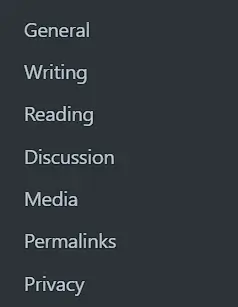
Customize Essential Settings

Adjust basic settings from the settings menu.
Capture decran 2024 05 03 132347

Select and Install Plugins

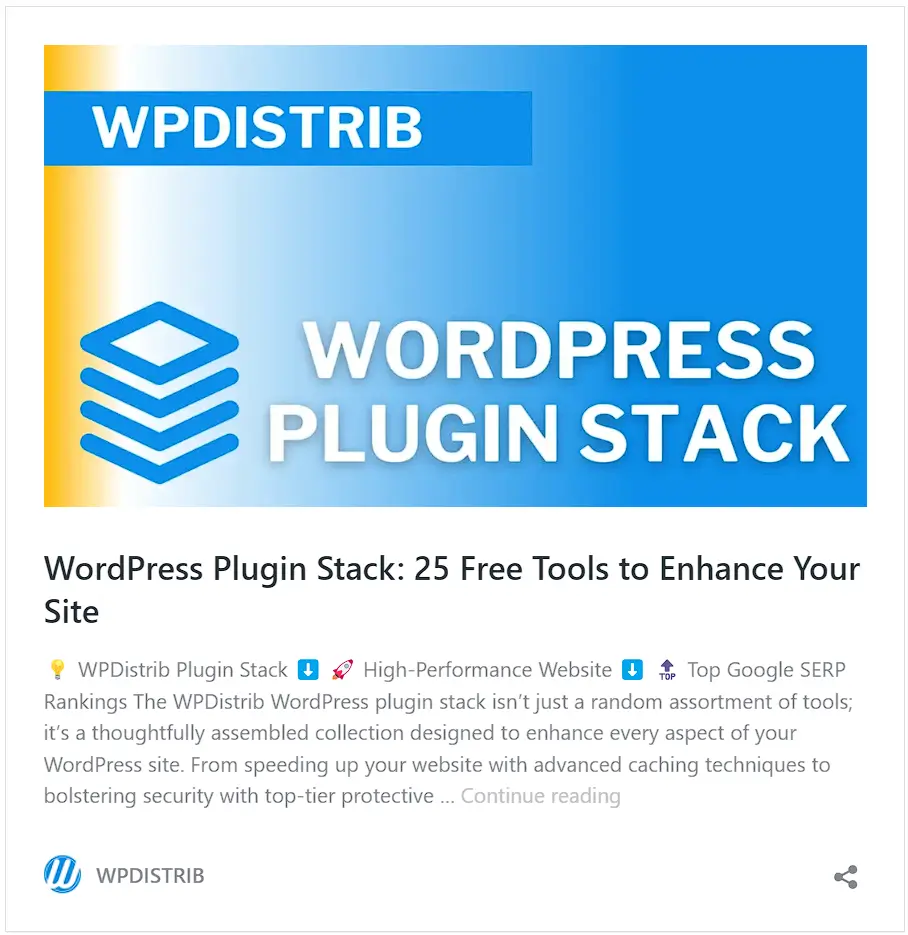
Handpick essential plugins to boost functionality and performance.

Unsure about which plugins to choose? Don’t worry! Explore our curated selection of plugins with our free Notion tool: WPDistrib Plugin Stack.
Capture decran 2024 05 01 153027

Choose a Theme

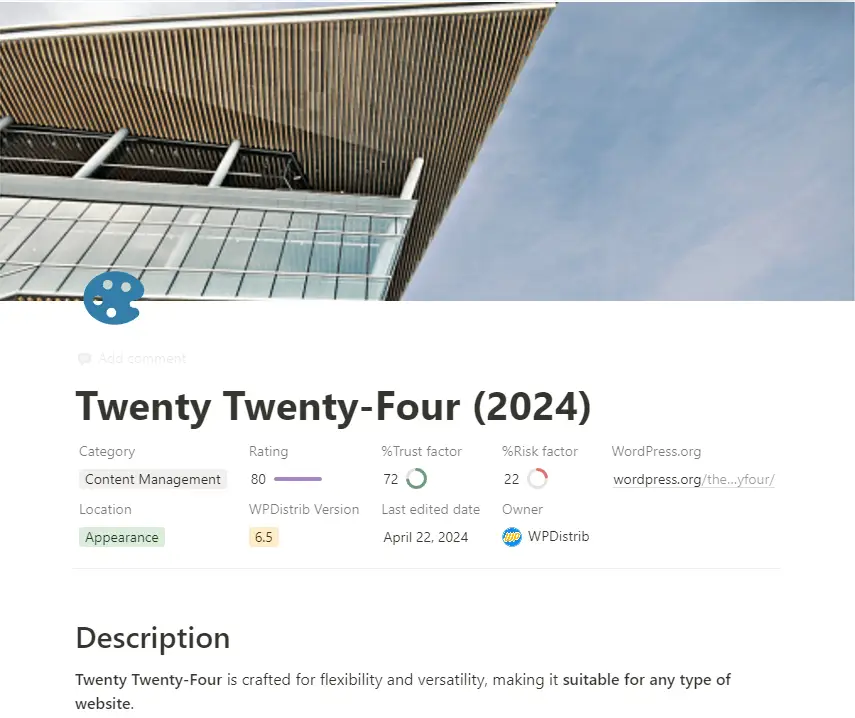
Install a theme that suits the needs of your project.

For us, the native Twenty Twenty-Four theme perfectly fits the bill. It not only ensures lightning-fast page loading speeds but also guarantees optimal performance, crucial to maintaining our website’s SEO ranking on Google.
Capture decran 2024 05 03 133018

Create Key Pages

Set up standard pages such as Home, Contact, and Legal Notices.


Enhance with Additional Components

Add plugins for forms, security enhancements, and other necessary elements.


Save Your Blueprint

Use tools like LocalWP to save your setup as a WordPress blueprint.

WordPress blueprint showing Local Development Environment Dashboard with SSL, Web Server, and PHP version settings.
Dashboard of a Local WordPress development site featuring SSL configuration and PHP settings.

Introduction to WPDistrib: Revolutionizing WordPress Development

WPDistrib represents a significant leap in WordPress blueprint technology.

  • Core Enhancement: Includes a standard WordPress core with 21 pre-installed and pre-configured extensions.
  • Custom Extensions: Features four additional extensions for you to install and configure, enhancing customization.
  • Support Tools: Offers the WPDistrib Starter Pack for step-by-step installation and configuration guidance.

Objectives of WPDistrib: Building a Robust Foundation

The primary aim of WPDistrib is to provide a robust, free foundation for any web project, with a focus on security and performance.

  • Optimized Foundation: Delivers an optimized base for any type of web project.
  • Enhanced Security: Focuses on crucial aspects like the security of your WordPress site.
  • Peak Performance: Ensures optimal performance with pre-configured extensions, mirroring a manual installation experience

Creating and Customizing Your Own Blueprint with WPDistrib

WPDistrib serves as the perfect starting point for personalizing your web projects.

  • Flexible Base: Provides an ideal base from which to develop and customize further.
  • Time Efficiency: Saves significant time during the initial setup phase.
  • Consistent Quality: Maintains high quality and consistency across projects.

WPDistrib WordPress Distribution : Leveraging UpdraftPlus

We use the UpdraftPlus extension to distribute our blueprint efficiently.

  • Freemium Tool: UpdraftPlus is available in a freemium version that facilitates easy site migration.
  • Automatic URL Management: Automates URL changes to suit your target domain name, enhancing adaptability.
  • User Accessibility: Makes WPDistrib exceptionally flexible and accessible for rapid deployment of customized sites.

💡 Did this article speak to you, make you think, or make you want to go further?

You might be wondering:

  • Can I create a website that reflects who I am, without relying on a closed tool?
  • Can I learn to publish, structure, and organize my content myself?
  • Am I ready to dedicate time to it?

If the answer is yes, then you’re in the right place.

Creating a useful and sustainable website does take some time — but it’s time well invested, to learn how to do things with clarity and method.

That’s exactly the goal of WPDistrib:

save time right from the start,
→ with an already optimized WordPress,
→ and free resources to learn how to use it well.


  • 👉 Want to start with an enhanced, lightweight, already optimized WordPress? I download WPDistrib
  • Prefer to learn and understand before you dive in?👉 I explore the documentation base
  • 👉 Want to go further and structure a site around a profession or a passion? I discover the method
Graphic banner for WordPress blueprint featuring construction blueprints and the WPDistrib.com logo on a blue and yellow background.
🟡 Iteration 2 —
Tagged version

🏷 This article has been tagged: it now has all the basic technical elements to be properly interpreted by search engines.

This includes SEO metadata (title, description, excerpt), a featured image, and a consistent internal linking structure.

📌 This step is not yet a complete SEO optimization, but it allows the article to be shared properly on social media.
Thanks to its image, title, and excerpt, it’s ready to circulate in a content distribution logic.

Quickly learn to master WordPress blueprint in just 5 minutes with this guide. Navigating the complexities of website development can be daunting, especially when starting from scratch. A WordPress blueprint can revolutionize this process by providing a pre-configured template that streamlines setup and ensures consistency across projects. Let’s dive into how WordPress blueprints can transform…

Beginning of the article


A blueprint is essentially a pre-packaged version of a WordPress site that includes themes, plugins, and custom settings.

This comprehensive solution is crafted to significantly reduce the deployment time for new sites by ensuring all essential components are pre-configured following industry best practices.

Examples of WordPress Blueprints:

  1. Business Website Blueprint: This blueprint includes a professional theme suitable for businesses, plugins for contact management and forms, and custom settings to enhance site performance and security.
  2. Portfolio Blueprint: Tailored for artists or designers, this blueprint offers an aesthetically pleasing theme for showcasing work, plugins for image galleries or online portfolios, and custom settings for the optimal presentation of creations.
  3. Blog Blueprint: This blueprint provides a modern and responsive theme, plugins to boost SEO and manage comments efficiently, and custom settings that streamline regular content publishing.
  4. E-commerce Blueprint: Designed for online stores, this blueprint features a theme specific to e-commerce, plugins for managing products, securing payments, and handling orders, along with custom settings to optimize sales performance.

Benefits of Using WordPress Blueprints

⏱️ Time

Considerable Time Savings

Kickstart your projects faster with ready-made templates that require minimal manual configuration.

This efficiency allows you to launch websites quickly without sacrificing quality.

⭐️ Quality

Consistency and Quality

Each blueprint ensures that the sites you develop meet high-quality standards.

Predefined configurations maintain consistency across all projects, making it easier to meet client expectations and industry benchmarks.

💰 Cost

Considerable Cost Savings

WordPress blueprints offer plugin and theme developers stable environments that not only facilitate the testing of their products but also lead to considerable cost savings.

This setup streamlines the process by eliminating the need to create separate test cases for each iteration, significantly reducing the complexity and overhead associated with testing.

This efficiency allows for quicker updates and product improvements, accelerating development cycles and reducing costs.

Who Benefits from WordPress Blueprints?

🆕 Beginners

Novices

WordPress blueprints provide newcomers with a streamlined path to launching fully functional websites, bypassing the complexities of plugin and theme selection.

They address typical hurdles such as website security and performance optimization.

With blueprints, beginners start on a solid foundation that embeds best practices in security and performance, simplifying the learning curve and ensuring a robust start.

👨‍💻 Experts

Professionals

For seasoned designers and WordPress experts, blueprints offer a significant advantage by eliminating the repetitive setup tasks for themes and plugins with each new project.

This allows more time to be devoted to customizing designs and enhancing user experiences to meet specific client demands.

The streamlined setup process not only boosts productivity but also fosters creativity by focusing efforts on customization rather than configuration.

🏢 Agencies

Enterprises

WordPress blueprints are a game-changer for agencies handling multiple client projects simultaneously.

They enable faster and more uniform site deployment, significantly reducing overhead costs.

Additionally, blueprints facilitate a standardized approach to quality control, making it easier to deliver consistent, professional results across various projects.

This efficiency ensures client satisfaction and enhances the scalability of agency services.


Creating your own WordPress blueprint involves a few straightforward steps:


Install WordPress

Begin with a fresh WordPress installation. No hosting? Install a local server like LocalWP and set up a brand new WordPress site within seconds.

Capture decran 2024 05 03 132131

Customize Essential Settings

Adjust basic settings from the settings menu.

Capture decran 2024 05 03 132347

Select and Install Plugins

Handpick essential plugins to boost functionality and performance.

Unsure about which plugins to choose? Don’t worry! Explore our curated selection of plugins with our free Notion tool: WPDistrib Plugin Stack.

Capture decran 2024 05 01 153027

Choose a Theme

Install a theme that suits the needs of your project.

For us, the native Twenty Twenty-Four theme perfectly fits the bill. It not only ensures lightning-fast page loading speeds but also guarantees optimal performance, crucial to maintaining our website’s SEO ranking on Google.

Capture decran 2024 05 03 133018

Create Key Pages

Set up standard pages such as Home, Contact, and Legal Notices.


Enhance with Additional Components

Add plugins for forms, security enhancements, and other necessary elements.


Save Your Blueprint

Use tools like LocalWP to save your setup as a WordPress blueprint.

WordPress blueprint showing Local Development Environment Dashboard with SSL, Web Server, and PHP version settings.
Dashboard of a Local WordPress development site featuring SSL configuration and PHP settings.

Introduction to WPDistrib: Revolutionizing WordPress Development

WPDistrib represents a significant leap in WordPress blueprint technology.

  • Core Enhancement: Includes a standard WordPress core with 21 pre-installed and pre-configured extensions.
  • Custom Extensions: Features four additional extensions for you to install and configure, enhancing customization.
  • Support Tools: Offers the WPDistrib Starter Pack for step-by-step installation and configuration guidance.

Objectives of WPDistrib: Building a Robust Foundation

The primary aim of WPDistrib is to provide a robust, free foundation for any web project, with a focus on security and performance.

  • Optimized Foundation: Delivers an optimized base for any type of web project.
  • Enhanced Security: Focuses on crucial aspects like the security of your WordPress site.
  • Peak Performance: Ensures optimal performance with pre-configured extensions, mirroring a manual installation experience

Creating and Customizing Your Own Blueprint with WPDistrib

WPDistrib serves as the perfect starting point for personalizing your web projects.

  • Flexible Base: Provides an ideal base from which to develop and customize further.
  • Time Efficiency: Saves significant time during the initial setup phase.
  • Consistent Quality: Maintains high quality and consistency across projects.

WPDistrib WordPress Distribution : Leveraging UpdraftPlus

We use the UpdraftPlus extension to distribute our blueprint efficiently.

  • Freemium Tool: UpdraftPlus is available in a freemium version that facilitates easy site migration.
  • Automatic URL Management: Automates URL changes to suit your target domain name, enhancing adaptability.
  • User Accessibility: Makes WPDistrib exceptionally flexible and accessible for rapid deployment of customized sites.

End of the article

💡 Did this article speak to you, make you think, or make you want to go further?

You might be wondering:

  • Can I create a website that reflects who I am, without relying on a closed tool?
  • Can I learn to publish, structure, and organize my content myself?
  • Am I ready to dedicate time to it?

If the answer is yes, then you’re in the right place.

Creating a useful and sustainable website does take some time — but it’s time well invested, to learn how to do things with clarity and method.

That’s exactly the goal of WPDistrib:

save time right from the start,
→ with an already optimized WordPress,
→ and free resources to learn how to use it well.


  • 👉 Want to start with an enhanced, lightweight, already optimized WordPress? I download WPDistrib
  • Prefer to learn and understand before you dive in?👉 I explore the documentation base
  • 👉 Want to go further and structure a site around a profession or a passion? I discover the method