

?

Bienvenue sur une fiche “article documentaire”
Cette page présente un contenu structuré, pensé pour t’apporter une vraie plus-value à la lecture.
Faisons le tour ensemble !

Ici s’affiche le sujet traité dans l’article.
Il joue le rôle de titre principal, clair, orienté “bénéfice utilisateur”.
➜ L’objectif est que tu saches immédiatement si cet article répond à ton besoin.

Cette zone indique qui est à l’origine de l’article.
Cela permet de contextualiser le contenu : qui parle, d’où, avec quelle expérience ?

Ici sont listées les catégories documentaires associées à l’article.
➜ Elles t’aident à comprendre dans quel contexte s’inscrit le contenu, et à retrouver d’autres ressources liées.

Ce badge indique le niveau de maturité de l’article.
➜ C’est une information précieuse pour juger de la maturité du contenu.

Cette illustration visuelle accompagne l’article.
➜ Elle est utilisée pour donner un repère rapide au lecteur, ou illustrer une tendance, une dynamique, un sujet.

Ce texte présente la plus-value de la lecture :
➜ Pourquoi cet article vaut la peine d’être lu ?
➜ Qu’est-ce que tu vas en retirer ?
C’est techniquement “l’extrait” de l’article.

Ce bouton te permet de commencer la lecture de l’article complet.
Tu as vu le contexte, les bénéfices, les thématiques…
➜ Il est temps de plonger dans le contenu

Tu connais maintenant la structure d’une fiche article documentaire sur WPDistrib !
Bonne lecture!
Tu peux relancer ce tutoriel à tout moment via le bouton “?” en bas à droite.

❓Topic covered in this documentation article:

🧰 Introducing WordPress.com

🟡 Iteration 2 —
Tagged version

🏷 This article has been tagged: it now has all the basic technical elements to be properly interpreted by search engines.

This includes SEO metadata (title, description, excerpt), a featured image, and a consistent internal linking structure.

📌 This step is not yet a complete SEO optimization, but it allows the article to be shared properly on social media.
Thanks to its image, title, and excerpt, it’s ready to circulate in a content distribution logic.

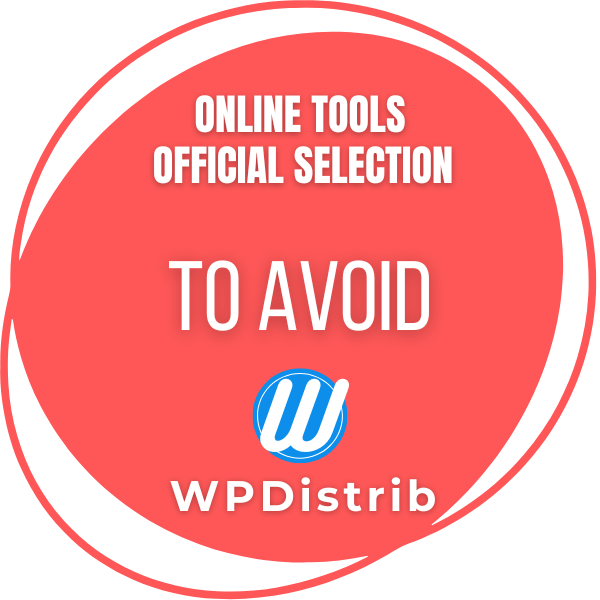
Red WPDistrib badge “Online Tools – To Avoid” indicating a platform misaligned with open-source best practices.

WordPress.com is a commercial hosting platform built on a fork of WordPress.org. ❌ It restricts access to essential features and monetizes what should be free. ⚠️ WPDistrib lists it among the tools to avoid, favoring a free, self-hosted and optimized WordPress experience.

WordPress.com is often confused with WordPress.org, but these two platforms serve different purposes and follow very different usage models.

  • WordPress.org: the official site of the open-source WordPress project. Offers a CMS to install and host yourself. 🟢 Recommended.
  • WordPress.com: a commercial hosting platform built on the same CMS, but with many restrictions. 🔴 To avoid.

💡 To build a truly free and open WordPress site, WordPress.org is the one you should use.


🔧 Technical Information

  • Type: all-in-one hosted platform
  • Editor: Automattic (founded by Matt Mullenweg)
  • Origin: commercial fork of WordPress.org
  • Model: freemium (limited free plan, features unlocked through paid options)
  • WPDistrib status: 🔴 To avoid (closed, proprietary model)

What You Should Know About WordPress.com

A commercial fork of WordPress.org

WordPress.com was launched by Matt Mullenweg, co-founder of the WordPress project, through his company Automattic.
It is a fork: a copy of the open-source software turned into a commercial, locked-in platform.

🔒 The user does not install anything: everything is hosted, limited, and monetized.


A model that limits your freedom

⚠ In the free version, you cannot:

  • Install your own plugins or themes
  • Access the files or database
  • Remove the default ads
  • Use advanced features (SEO, e-commerce, etc.)

💸 These features are only unlocked by paying, even though they are free on WordPress.org.


A beginner-friendly solution… But misleading

No one denies that WordPress.com made WordPress more accessible to beginners.
Its clear interface and “few-click” setup are appealing.

But this simplicity hides a less ethical reality:

  • The model relies on users’ lack of technical knowledge,
  • It monetizes open-source functionality,
  • It locks users into a closed ecosystem with no room for growth.

✅ WPDistrib makes WordPress accessible without compromise

WPDistrib takes on the exact role WordPress.com claims to offer—but with the right tools and ethics:

  • 💡 Making WordPress accessible to beginners
  • 🧰 Providing a preconfigured WordPress with essential plugins
  • 🔐 Preserving independence, transparency, and control
  • 📘 Offering clear, structured documentation

🎯 With WPDistrib, you get a professional WordPress setup from the start—no hours wasted configuring, and no extra cost for basic features.


🌀 WordPress.com: easy to start, hard to grow

WordPress.com made getting started with WordPress easier—but at the cost of a closed commercial ecosystem that goes against open-source values.

WPDistrib allows you to:

  • Keep your freedom (hosting, plugins, data)
  • Start faster with the Starter Pack
  • Use a WordPress site that’s truly ready for your projects

📌 What’s paid on WordPress.com is free with WordPress.org + the WPDistrib Starter Pack.

💡 Did this article speak to you, make you think, or make you want to go further?

You might be wondering:

  • Can I create a website that reflects who I am, without relying on a closed tool?
  • Can I learn to publish, structure, and organize my content myself?
  • Am I ready to dedicate time to it?

If the answer is yes, then you’re in the right place.

Creating a useful and sustainable website does take some time — but it’s time well invested, to learn how to do things with clarity and method.

That’s exactly the goal of WPDistrib:

save time right from the start,
→ with an already optimized WordPress,
→ and free resources to learn how to use it well.


  • 👉 Want to start with an enhanced, lightweight, already optimized WordPress? I download WPDistrib
  • Prefer to learn and understand before you dive in?👉 I explore the documentation base
  • 👉 Want to go further and structure a site around a profession or a passion? I discover the method
Red WPDistrib badge “Online Tools – To Avoid” indicating a platform misaligned with open-source best practices.
🟡 Iteration 2 —
Tagged version

🏷 This article has been tagged: it now has all the basic technical elements to be properly interpreted by search engines.

This includes SEO metadata (title, description, excerpt), a featured image, and a consistent internal linking structure.

📌 This step is not yet a complete SEO optimization, but it allows the article to be shared properly on social media.
Thanks to its image, title, and excerpt, it’s ready to circulate in a content distribution logic.

, , ,

WordPress.com is a commercial hosting platform built on a fork of WordPress.org. ❌ It restricts access to essential features and monetizes what should be free. ⚠️ WPDistrib lists it among the tools to avoid, favoring a free, self-hosted and optimized WordPress experience.

Beginning of the article

WordPress.com is often confused with WordPress.org, but these two platforms serve different purposes and follow very different usage models.

  • WordPress.org: the official site of the open-source WordPress project. Offers a CMS to install and host yourself. 🟢 Recommended.
  • WordPress.com: a commercial hosting platform built on the same CMS, but with many restrictions. 🔴 To avoid.

💡 To build a truly free and open WordPress site, WordPress.org is the one you should use.


🔧 Technical Information

  • Type: all-in-one hosted platform
  • Editor: Automattic (founded by Matt Mullenweg)
  • Origin: commercial fork of WordPress.org
  • Model: freemium (limited free plan, features unlocked through paid options)
  • WPDistrib status: 🔴 To avoid (closed, proprietary model)

What You Should Know About WordPress.com

A commercial fork of WordPress.org

WordPress.com was launched by Matt Mullenweg, co-founder of the WordPress project, through his company Automattic.
It is a fork: a copy of the open-source software turned into a commercial, locked-in platform.

🔒 The user does not install anything: everything is hosted, limited, and monetized.


A model that limits your freedom

⚠ In the free version, you cannot:

  • Install your own plugins or themes
  • Access the files or database
  • Remove the default ads
  • Use advanced features (SEO, e-commerce, etc.)

💸 These features are only unlocked by paying, even though they are free on WordPress.org.


A beginner-friendly solution… But misleading

No one denies that WordPress.com made WordPress more accessible to beginners.
Its clear interface and “few-click” setup are appealing.

But this simplicity hides a less ethical reality:

  • The model relies on users’ lack of technical knowledge,
  • It monetizes open-source functionality,
  • It locks users into a closed ecosystem with no room for growth.

✅ WPDistrib makes WordPress accessible without compromise

WPDistrib takes on the exact role WordPress.com claims to offer—but with the right tools and ethics:

  • 💡 Making WordPress accessible to beginners
  • 🧰 Providing a preconfigured WordPress with essential plugins
  • 🔐 Preserving independence, transparency, and control
  • 📘 Offering clear, structured documentation

🎯 With WPDistrib, you get a professional WordPress setup from the start—no hours wasted configuring, and no extra cost for basic features.


🌀 WordPress.com: easy to start, hard to grow

WordPress.com made getting started with WordPress easier—but at the cost of a closed commercial ecosystem that goes against open-source values.

WPDistrib allows you to:

  • Keep your freedom (hosting, plugins, data)
  • Start faster with the Starter Pack
  • Use a WordPress site that’s truly ready for your projects

📌 What’s paid on WordPress.com is free with WordPress.org + the WPDistrib Starter Pack.

End of the article

💡 Did this article speak to you, make you think, or make you want to go further?

You might be wondering:

  • Can I create a website that reflects who I am, without relying on a closed tool?
  • Can I learn to publish, structure, and organize my content myself?
  • Am I ready to dedicate time to it?

If the answer is yes, then you’re in the right place.

Creating a useful and sustainable website does take some time — but it’s time well invested, to learn how to do things with clarity and method.

That’s exactly the goal of WPDistrib:

save time right from the start,
→ with an already optimized WordPress,
→ and free resources to learn how to use it well.


  • 👉 Want to start with an enhanced, lightweight, already optimized WordPress? I download WPDistrib
  • Prefer to learn and understand before you dive in?👉 I explore the documentation base
  • 👉 Want to go further and structure a site around a profession or a passion? I discover the method