

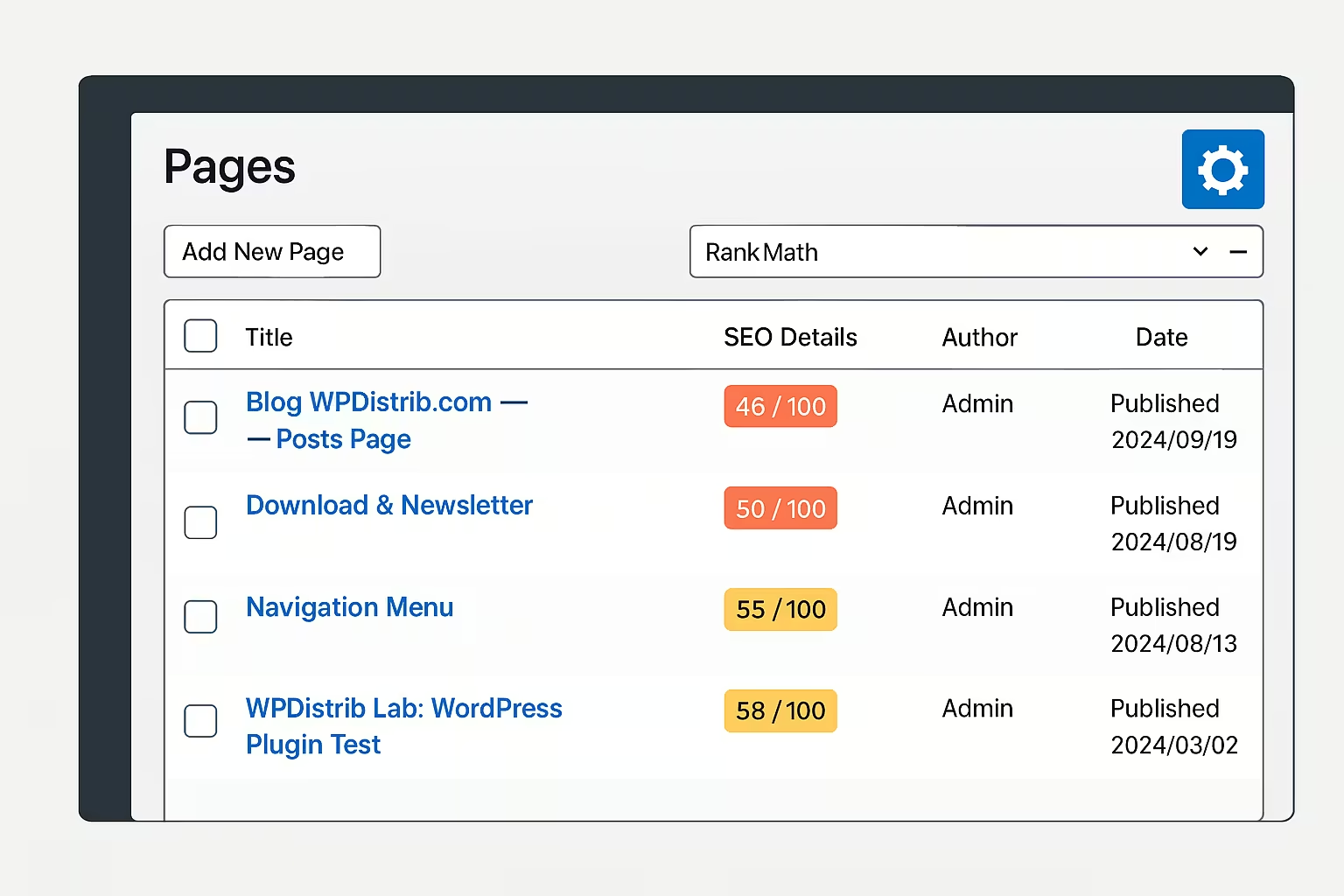
Managing content in WordPress can quickly become challenging as the list of posts or pages grows.
By default, the interface displays limited columns, often hard to read and rarely adapted to the nature of the project.
Admin Columns gives you control over this layout by allowing you to customize which columns are visible, their order, and their width.
A simple but powerful plugin, useful for visually structuring your content based on your own preferences.
Improve the readability of post and page lists
WordPress offers very few options to display the data that actually matters in the admin interface. Post, page, or custom content lists always show the same default columns: title, author, categories, date…
When you install plugins like RankMath or Internal Link Juicer, additional data could be shown — but it’s often inaccessible without advanced configuration.
Admin Columns solves this issue by adding a small gear icon at the top of each content list. Clicking it opens an intuitive settings panel where you can select which columns to display, in what order and format.
Select columns based on your priorities
One of the main strengths of Admin Columns is its flexibility. You can add or remove columns as needed:
✅ Post ID
✅ Slug
✅ Last modified date
✅ Custom fields (ACF)
✅ Categories, tags, or any native field
The plugin also detects fields provided by other compatible plugins. For instance:
🚀 SEO Details if RankMath is active
🚀 Automatic anchors if Internal Link Juicer is installed
These columns then become easily accessible and configurable in just a few clicks, saving time when analyzing content.
Adjust column width for better clarity
Admin Columns also offers fine-grained control over column widths, either in pixels or percentages. This prevents overflow and improves readability.
💡 Example of a useful setup:
- ID: 40px
- Title: 150px
- Slug: 120px
- SEO Details (RankMath) : 150px
- Anchors (Internal Link Juicer) : 150px
- Author: 40px
- Categories: 15%
- Date: auto
👉 These settings can be adapted to your screen size or workflow to provide a clear and structured view of your content.
Display SEO and custom data from other plugins
Admin Columns becomes especially useful when working with advanced plugins like:
🔎 RankMath
➡ Direct display of SEO titles, meta descriptions, and overall scores.
🔗 Internal Link Juicer
➡ Instant visualization of automatic anchors set for each post.
⚙ Custom fields (ACF)
➡ Easily integrate fields like client type, internal status, priority level, etc.
Each column can be reordered according to your content logic, without modifying the content itself.
Adapt the interface to your own workflow
Admin Columns is above all a personal tool: it allows for fine-tuned customization of the admin interface but doesn’t follow a universal logic.
⚠ Some users prefer seeing last modified dates first, others prioritize SEO data or authors.
👉 That’s why WPDistrib doesn’t offer a preconfigured setup for this plugin. It’s optional and must be manually configured based on each user’s preferences.
It’s particularly useful for those who want to take their admin interface to the next level in terms of visual organization.
Understand why Admin Columns is not bundled with WPDistrib
The question is valid: why isn’t this plugin bundled with WPDistrib like other useful tools?
The answer is simple: variability.
⚠ Admin Columns’ usage depends too much on personal workflow. Enabling it by default would force a display layout that might not fit every use case and would often require disabling or reconfiguring — the opposite of WPDistrib’s mission to offer a simple and ready-to-use base.
✅ However, Admin Columns integrates smoothly when added manually. It doesn’t conflict with other components of the distribution.
🌀 Admin Columns: an optional but practical tool to structure your admin view
Admin Columns isn’t essential, but it can make the WordPress admin interface much more readable for those managing a large amount of content. It’s especially helpful when used with RankMath or Internal Link Juicer. While not installed by default in WPDistrib, it can