

?

Bienvenue sur une fiche “article documentaire”
Cette page présente un contenu structuré, pensé pour t’apporter une vraie plus-value à la lecture.
Faisons le tour ensemble !

Ici s’affiche le sujet traité dans l’article.
Il joue le rôle de titre principal, clair, orienté “bénéfice utilisateur”.
➜ L’objectif est que tu saches immédiatement si cet article répond à ton besoin.

Cette zone indique qui est à l’origine de l’article.
Cela permet de contextualiser le contenu : qui parle, d’où, avec quelle expérience ?

Ici sont listées les catégories documentaires associées à l’article.
➜ Elles t’aident à comprendre dans quel contexte s’inscrit le contenu, et à retrouver d’autres ressources liées.

Ce badge indique le niveau de maturité de l’article.
➜ C’est une information précieuse pour juger de la maturité du contenu.

Cette illustration visuelle accompagne l’article.
➜ Elle est utilisée pour donner un repère rapide au lecteur, ou illustrer une tendance, une dynamique, un sujet.

Ce texte présente la plus-value de la lecture :
➜ Pourquoi cet article vaut la peine d’être lu ?
➜ Qu’est-ce que tu vas en retirer ?
C’est techniquement “l’extrait” de l’article.

Ce bouton te permet de commencer la lecture de l’article complet.
Tu as vu le contexte, les bénéfices, les thématiques…
➜ Il est temps de plonger dans le contenu

Tu connais maintenant la structure d’une fiche article documentaire sur WPDistrib !
Bonne lecture!
Tu peux relancer ce tutoriel à tout moment via le bouton “?” en bas à droite.

❓Topic covered in this documentation article:

2. Customize Your Site 100% ✏️

📚 Related topics in the documentation base:

🟡 Iteration 2 —
Tagged version

🏷 This article has been tagged: it now has all the basic technical elements to be properly interpreted by search engines.

This includes SEO metadata (title, description, excerpt), a featured image, and a consistent internal linking structure.

📌 This step is not yet a complete SEO optimization, but it allows the article to be shared properly on social media.
Thanks to its image, title, and excerpt, it’s ready to circulate in a content distribution logic.

Customize Your WordPress Site with Advanced Design and Customization Tools

Choose a simple and fast setup or full flexibility to tweak every detail of your design. Discover the benefits of each approach and make the right choice.

Customize Your WordPress Site: Choose Between Simplicity or Flexibility

  • Two Customization Methods: Choose between a quick and simple setup or full flexibility to adjust each page.
  • Predefined Templates or Custom Design: Opt for a global design or customize every detail to fit your needs.
  • Headers and Footers: Maintain a uniform design across all pages OR enjoy full freedom with unique headers and footers… or none at all!
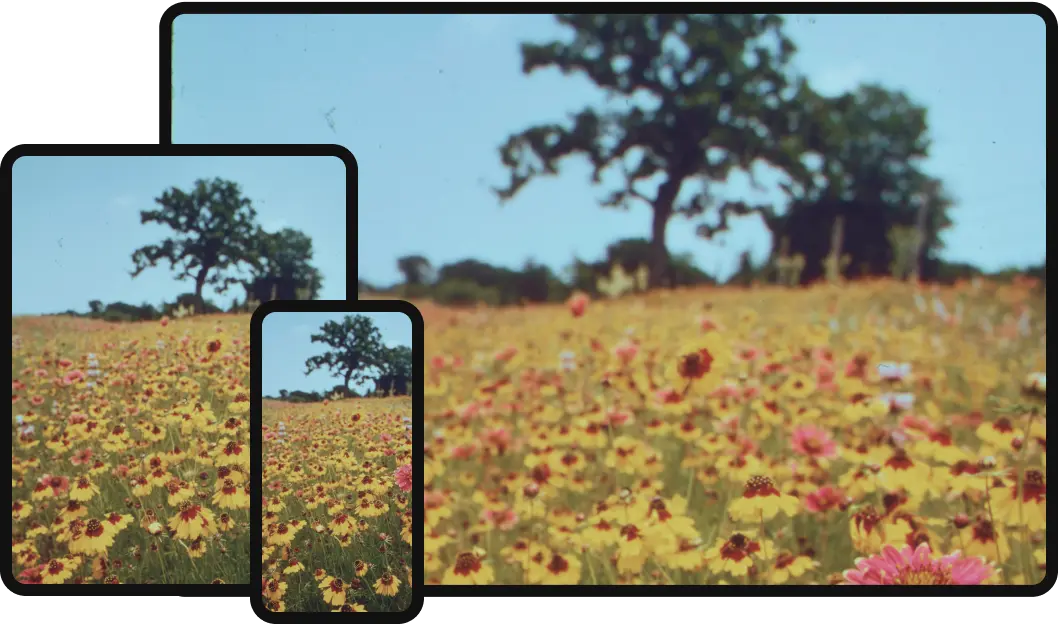
  • Multi-Screen Compatibility Ensured: No matter your choice, your visuals will look impeccable on desktop, tablet, and mobile.
  • A Guide to Assist You: We help you understand the advantages and limitations of each method for an informed decision.
services subscriber photo

Comparison Before/After: Proposed Template vs. Imported Template

In this section, discover the differences between the template as presented in the design library and the template actually imported into your WordPress site.

Example of the Template You Expected to Download

Capture decran 2024 11 25 133355

The header includes a logo, a complete navigation menu, and a call-to-action button on the right. The layout is structured with a centered call-to-action button well-integrated into the main section.

Example of the Template Actually Imported

Capture decran 2024 11 25 165117

In the imported version, the header containing the logo and menu is missing. The central call-to-action button remains but features a simplified style, and the layout proportions appear adjusted.

Capture decran 2024 11 25 165349

The main section is characterized by a blue background and icons with yellow backgrounds, highlighting key information such as business hours and contact numbers.

Capture decran 2024 11 25 165417

In the imported template, the blue background is replaced by a white background, and the icons lose their colored backgrounds. The buttons are slightly enlarged and rearranged, altering their proportions within the section.


Make Your Choice: Simplicity or Freedom?

Now that you’ve seen the differences between the proposed template and the imported one, two options are available to you. It’s time to choose what best suits your needs and priorities.

No matter your choice, assistance is available to guide you and help you succeed in creating your site.

🟦 Blue Pill – Immediate Simplicity

Choose this option if a uniform design across all pages is sufficient. Headers and footers remain identical on every page, ensuring perfect consistency and quick implementation.

💡 Note: This method limits customization possibilities: headers and footers cannot be individually modified or removed.

🟥 Red Pill – Freedom and Possibilities

Choose this path if total freedom is preferred. Create unique headers and footers for each page, or choose to display none at all, depending on your specific needs.

💡 Advantage: A fully flexible site with endless customization possibilities for a unique and perfectly tailored result.

💡 Did this article speak to you, make you think, or make you want to go further?

You might be wondering:

  • Can I create a website that reflects who I am, without relying on a closed tool?
  • Can I learn to publish, structure, and organize my content myself?
  • Am I ready to dedicate time to it?

If the answer is yes, then you’re in the right place.

Creating a useful and sustainable website does take some time — but it’s time well invested, to learn how to do things with clarity and method.

That’s exactly the goal of WPDistrib:

save time right from the start,
→ with an already optimized WordPress,
→ and free resources to learn how to use it well.


  • 👉 Want to start with an enhanced, lightweight, already optimized WordPress? I download WPDistrib
  • Prefer to learn and understand before you dive in?👉 I explore the documentation base
  • 👉 Want to go further and structure a site around a profession or a passion? I discover the method
Customize Your WordPress Site with Advanced Design and Customization Tools
🟡 Iteration 2 —
Tagged version

🏷 This article has been tagged: it now has all the basic technical elements to be properly interpreted by search engines.

This includes SEO metadata (title, description, excerpt), a featured image, and a consistent internal linking structure.

📌 This step is not yet a complete SEO optimization, but it allows the article to be shared properly on social media.
Thanks to its image, title, and excerpt, it’s ready to circulate in a content distribution logic.

Choose a simple and fast setup or full flexibility to tweak every detail of your design. Discover the benefits of each approach and make the right choice.

Beginning of the article

Customize Your WordPress Site: Choose Between Simplicity or Flexibility

  • Two Customization Methods: Choose between a quick and simple setup or full flexibility to adjust each page.
  • Predefined Templates or Custom Design: Opt for a global design or customize every detail to fit your needs.
  • Headers and Footers: Maintain a uniform design across all pages OR enjoy full freedom with unique headers and footers… or none at all!
  • Multi-Screen Compatibility Ensured: No matter your choice, your visuals will look impeccable on desktop, tablet, and mobile.
  • A Guide to Assist You: We help you understand the advantages and limitations of each method for an informed decision.
services subscriber photo

Comparison Before/After: Proposed Template vs. Imported Template

In this section, discover the differences between the template as presented in the design library and the template actually imported into your WordPress site.

Example of the Template You Expected to Download

Capture decran 2024 11 25 133355

The header includes a logo, a complete navigation menu, and a call-to-action button on the right. The layout is structured with a centered call-to-action button well-integrated into the main section.

Example of the Template Actually Imported

Capture decran 2024 11 25 165117

In the imported version, the header containing the logo and menu is missing. The central call-to-action button remains but features a simplified style, and the layout proportions appear adjusted.

Capture decran 2024 11 25 165349

The main section is characterized by a blue background and icons with yellow backgrounds, highlighting key information such as business hours and contact numbers.

Capture decran 2024 11 25 165417

In the imported template, the blue background is replaced by a white background, and the icons lose their colored backgrounds. The buttons are slightly enlarged and rearranged, altering their proportions within the section.


Make Your Choice: Simplicity or Freedom?

Now that you’ve seen the differences between the proposed template and the imported one, two options are available to you. It’s time to choose what best suits your needs and priorities.

No matter your choice, assistance is available to guide you and help you succeed in creating your site.

🟦 Blue Pill – Immediate Simplicity

Choose this option if a uniform design across all pages is sufficient. Headers and footers remain identical on every page, ensuring perfect consistency and quick implementation.

💡 Note: This method limits customization possibilities: headers and footers cannot be individually modified or removed.

🟥 Red Pill – Freedom and Possibilities

Choose this path if total freedom is preferred. Create unique headers and footers for each page, or choose to display none at all, depending on your specific needs.

💡 Advantage: A fully flexible site with endless customization possibilities for a unique and perfectly tailored result.

End of the article

💡 Did this article speak to you, make you think, or make you want to go further?

You might be wondering:

  • Can I create a website that reflects who I am, without relying on a closed tool?
  • Can I learn to publish, structure, and organize my content myself?
  • Am I ready to dedicate time to it?

If the answer is yes, then you’re in the right place.

Creating a useful and sustainable website does take some time — but it’s time well invested, to learn how to do things with clarity and method.

That’s exactly the goal of WPDistrib:

save time right from the start,
→ with an already optimized WordPress,
→ and free resources to learn how to use it well.


  • 👉 Want to start with an enhanced, lightweight, already optimized WordPress? I download WPDistrib
  • Prefer to learn and understand before you dive in?👉 I explore the documentation base
  • 👉 Want to go further and structure a site around a profession or a passion? I discover the method